AgentLane Has No CRM Sync Feature. Here's the Webhook You'd Build One On.
AgentLane doesn't ship a CRM sync product. What it ships is a signed outbound webhook system agencies can wire into whatever CRM they already use. Here's the actual payload, the signature check, and the event list.
By AgentLane Founder · Founder
An earlier version of this post described a CRM-sync product AgentLane doesn't have. That's a worse mistake than not covering the topic at all, so here's the honest version: there's no first-class CRM integration. What ships instead is a general-purpose, signed outbound webhook system, documented in full at /docs/reference/api. If you want lead or account data flowing into a CRM, this is the actual primitive you're building on.
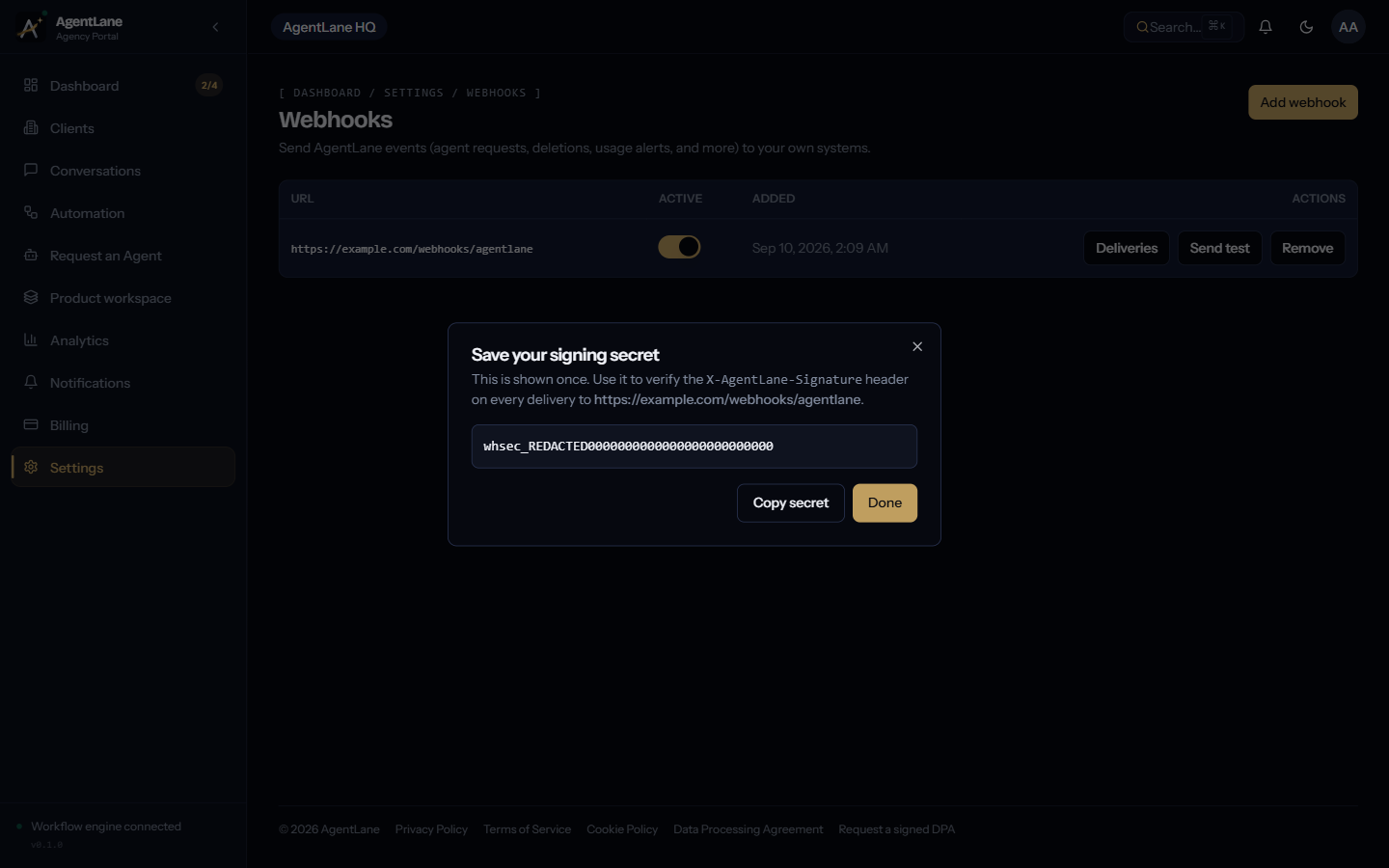
The real registration flow
POST /partners/me/webhooks
Registering an endpoint returns a signing secret in the response — shown exactly once, never retrievable again. Lose it and you re-register, you don't recover it. A partner account can register at most 5 endpoints, and each URL is checked against private/internal IP ranges at both registration and delivery time — an endpoint that later resolves to a private address (a misconfigured internal proxy, say) simply stops receiving deliveries rather than silently leaking to it.
The real payload and signature, annotated
Every delivery is a signed JSON POST, modeled directly on Stripe's webhook convention:
body      = JSON.stringify({ id, type, createdAt, data })
timestamp = <current Unix time in seconds>
signature = hex(HMAC_SHA256(secret, `${timestamp}.${body}`))
POST <your endpoint URL>
Content-Type: application/json
X-AgentLane-Event: agent_request.resolved
X-AgentLane-Signature: t=1735689600,v1=8f3a...
What this buys you: X-AgentLane-Signature carries both the timestamp and the HMAC, so verification is recompute-and-compare, not a shared-secret string sent in plaintext. To verify a delivery is genuine:
- Pull
tandv1out of theX-AgentLane-Signatureheader. - Recompute
hex(HMAC_SHA256(your_secret, "${t}.${raw_request_body}")). - Compare to
v1using a constant-time comparison, not===. - Reject if
tis further in the past than your replay-window tolerance — this part is your responsibility, the same as with Stripe.
Skipping step 4 is the most common real-world gap: an endpoint that only checks the signature but not the timestamp is still vulnerable to a captured, replayed delivery.
The actual event list — and what's honestly missing from it
| Event | Fires when |
|---|---|
agent_request.submitted |
A partner requests a new agent for a client |
agent_request.resolved |
A request is approved, rejected, or fulfilled |
agent_request.provisioning_failed |
Automated provisioning fails |
deletion_request.submitted / resolved |
An account deletion request is submitted or resolved |
account.suspended |
An account is suspended |
client_user.invited |
A client-portal user is invited |
usage.threshold_crossed |
A partner crosses a usage-alert threshold |
seat_purchase.completed |
A partner buys additional team seats |
webhook.test |
Synthetic event from the Send Test action |
Notice what's not on that list: there's no lead.captured or conversation.completed event. Lead and conversation data lives inside the agent workflows themselves (a Lead Qualifier run logging to its own Postgres instance, for example), not in the account-level webhook stream documented above. If the CRM-sync use case you actually need is "push every qualified lead into HubSpot the moment it's scored," that's not something the webhook system in this post does today — it would need to be built as a step inside the agent's own n8n/Activepieces workflow, writing directly to the CRM's API from there, not bolted on via this account-events layer. Don't build a CRM integration against this event list expecting lead-level granularity it doesn't have.
Retries and what "delivered" means
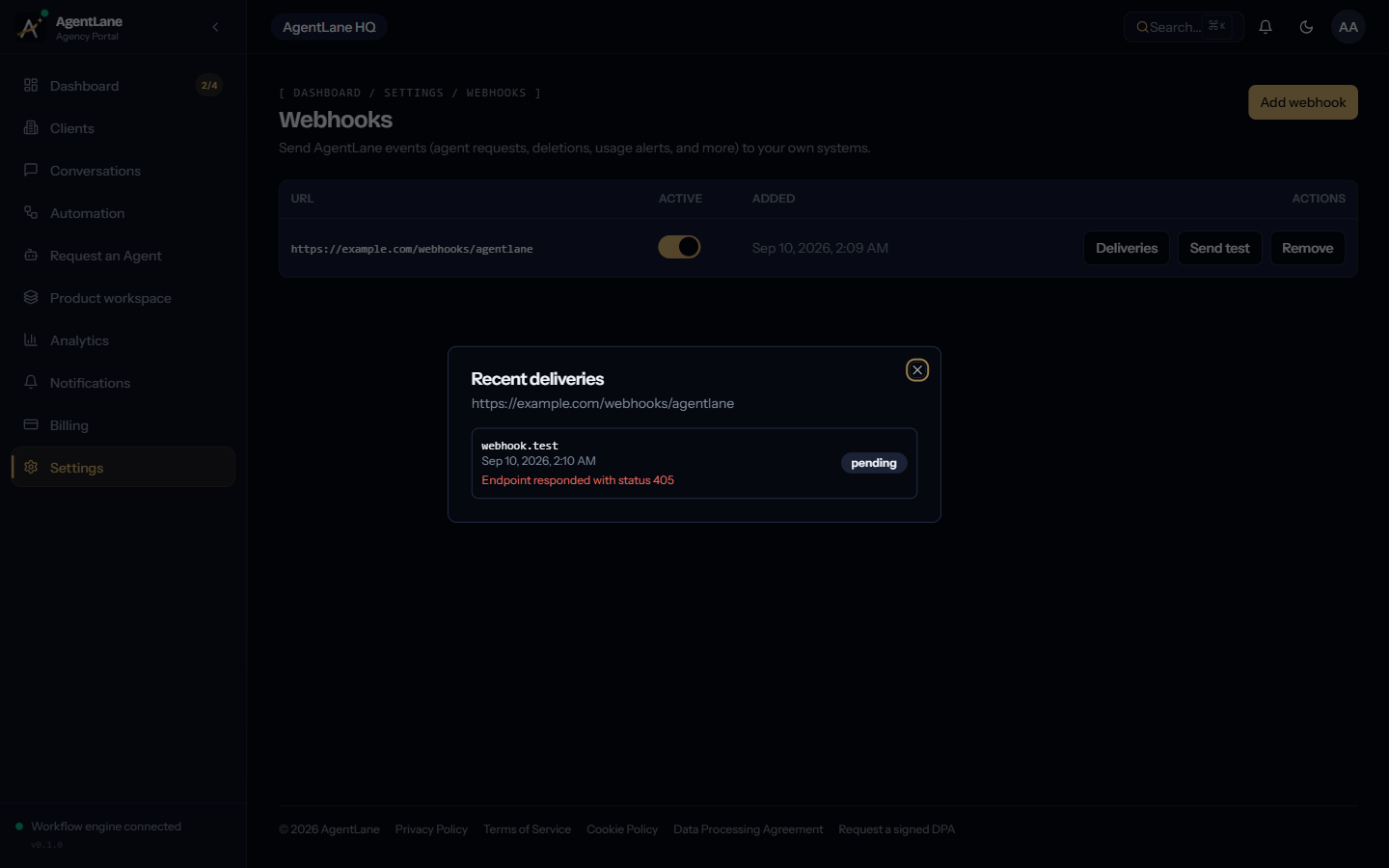
Deliveries run on a BullMQ queue: 5 attempts, exponential backoff starting at 5 seconds, a 10-second timeout per attempt. A delivery's logged status is delivered (2xx response received), pending (still retrying), or failed (attempts exhausted, or rejected outright by the SSRF check). The most recent 50 delivery attempts per endpoint are visible in the dashboard:
If you're building the CRM-side integration anyway
For the account-level events this system does cover — a new client invited, an agent request resolved, a deletion processed — the match-before-create discipline that any CRM sync needs still applies on your endpoint's side: check for an existing record by a stable identifier (email, or AgentLane's own resource ID in the payload) before writing a new one, since a retried delivery after a timeout can otherwise create a duplicate on your end even though AgentLane's own delivery log shows it as a single logical event.
Getting started
The complete reference — registration, all field shapes, the BYOK credentials vault this shares infrastructure with — is at /docs/reference/api. If what you actually need is lead-level data flowing somewhere, book a free consultation and describe the specific CRM and trigger — that's very likely a workflow-level build, not a webhook-registration one, and worth scoping as such before you start.
I'd rather this post send you to the real docs and correct the record than keep a tidier-sounding feature description that isn't true.
Frequently asked questions
- Does AgentLane have a built-in CRM sync feature?
- No. There's no first-class CRM integration in the product today. What exists is a general-purpose outbound webhook system — you point it at whatever ingests into your CRM, and that endpoint does the mapping.
- How do I verify a webhook delivery is genuinely from AgentLane?
- Recompute the HMAC-SHA256 over `${timestamp}.${raw body}` using your endpoint's signing secret, and compare it to the v1 value in the X-AgentLane-Signature header. Reject anything that doesn't match, or where the timestamp is older than you're willing to tolerate.
- What happens if my CRM endpoint is down when an event fires?
- Deliveries run on a queue with 5 attempts and exponential backoff starting at 5 seconds, each attempt with a 10-second timeout. After 5 failed attempts the delivery is marked failed, visible in the deliveries log for that endpoint.
- Which events can I actually subscribe to?
- agent_request.submitted, agent_request.resolved, agent_request.provisioning_failed, deletion_request.submitted/resolved, account.suspended, client_user.invited, usage.threshold_crossed, and seat_purchase.completed — plus a synthetic webhook.test event for testing an endpoint. There is no lead-capture or conversation event today; those live inside the agent workflows themselves, not the webhook layer.