API Access
AgentLane doesn’t currently issue platform API keys for third-party developers — there’s no /settings/api page or /api-keys route. What the platform does expose programmatically is documented here: the REST API behind the Portal itself, outbound webhooks you register to receive AgentLane’s own events, and the BYOK credentials vault that stores the third-party keys AgentLane uses on your behalf.
REST API & Bearer Token Authentication
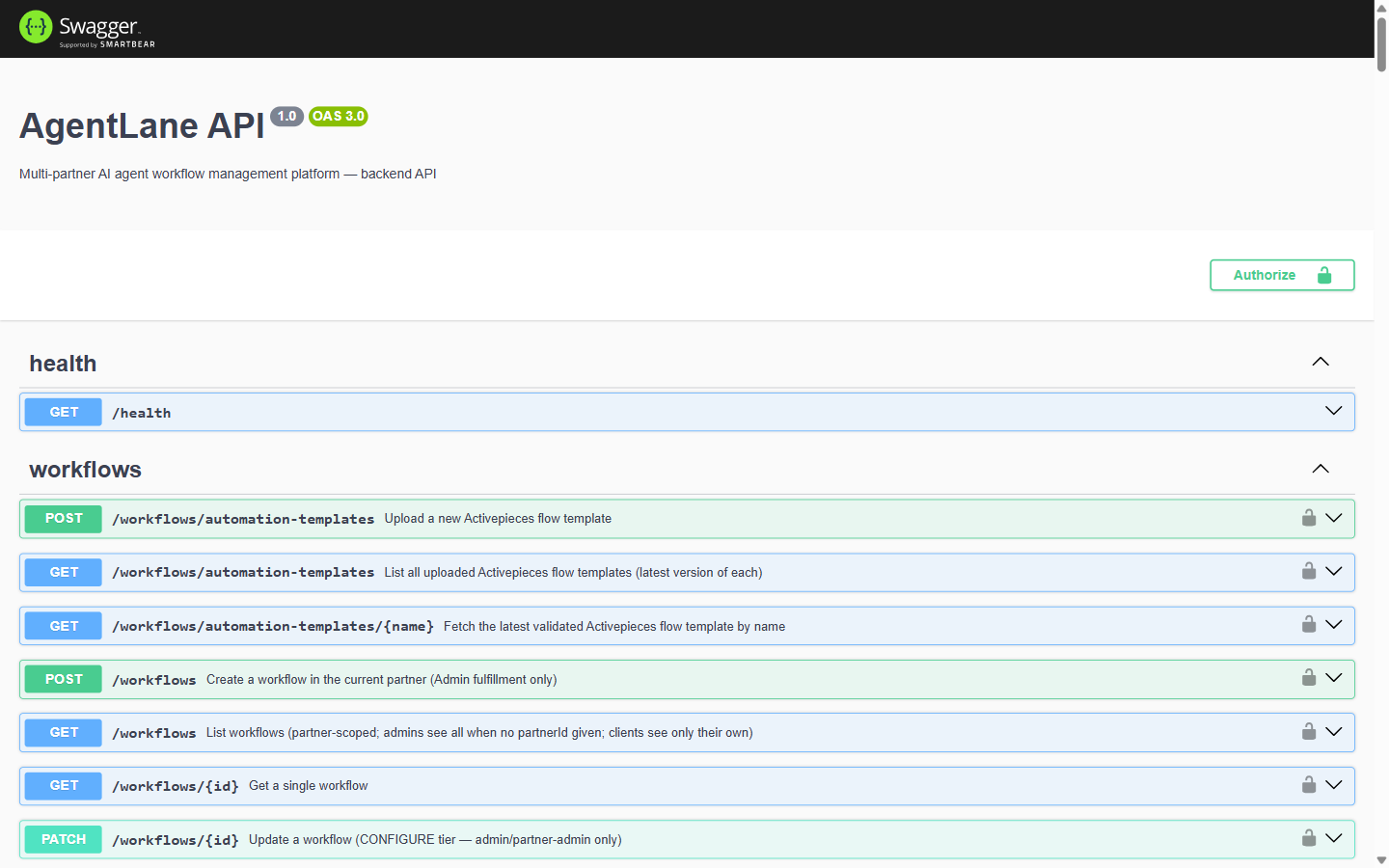
Every route in the Portal is backed by the same NestJS REST API. A local or self-hosted non-production API serves Swagger UI at /api/docs and the raw OpenAPI document at /api/docs-json.
Security note:
/api/docsis not mounted whenNODE_ENV=production, so the hosted AgentLane API does not publish it. Self-hosters can opt back in withSWAGGER_ENABLED=true; when mounted it is unauthenticated (outside the global auth guard), so anyone with the URL can browse the endpoint and schema surface — though not call authenticated routes without a token — and you should put it behind your own reverse-proxy auth rule.
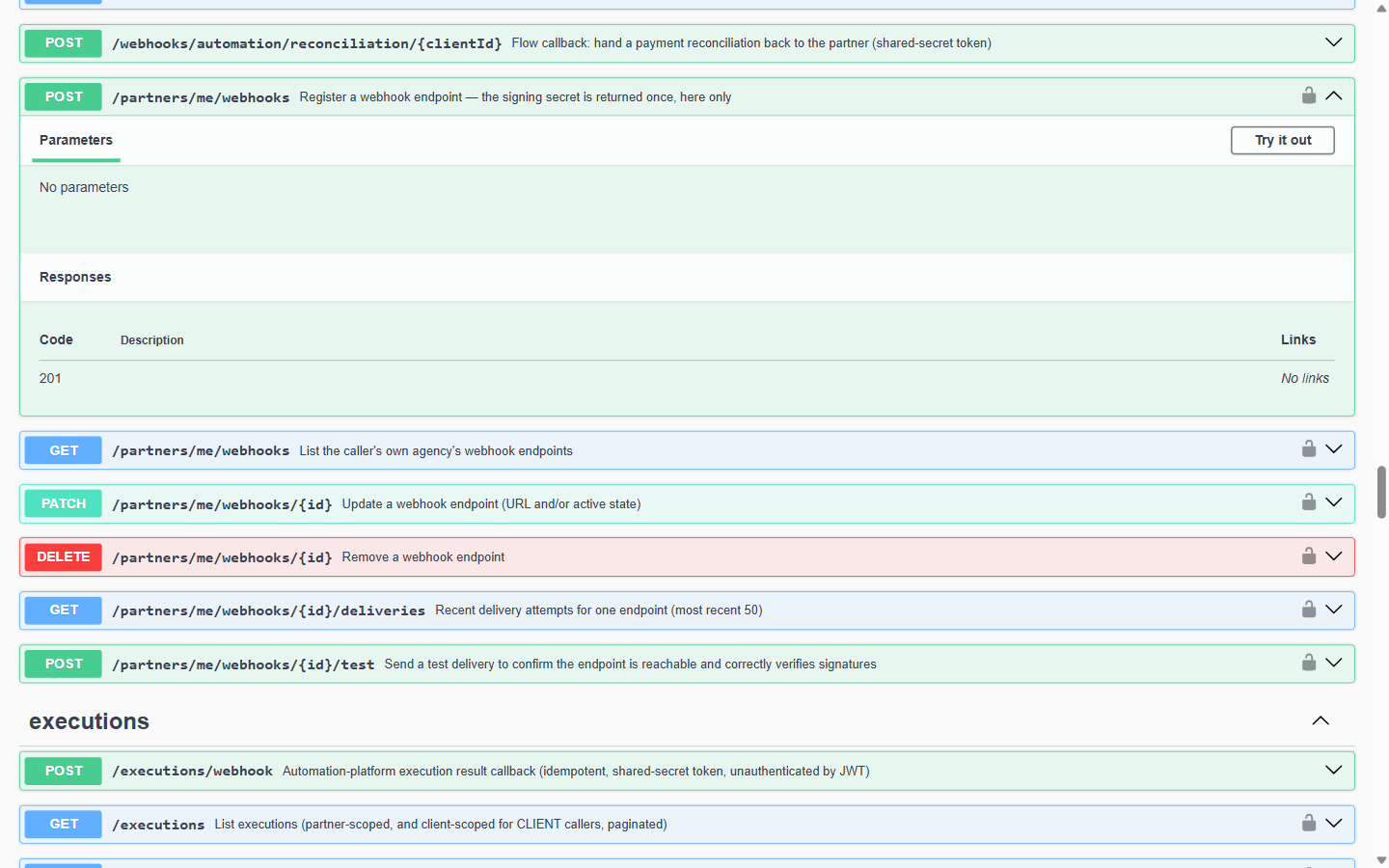
The API groups its endpoints into tags, one per domain area:
| Tag | Covers |
|---|---|
auth | Login, signup, password reset, MFA |
partners, clients, users | Core account records |
agents, agent-requests | The agent catalog and provisioning requests |
workflows, workflow-executions, executions | Workflow instances and run history |
automation-provisioning | The agent-flow provisioning pipeline (see Workflow Engine) |
credentials | The BYOK vault — see below |
webhooks | Both AgentLane’s outbound partner webhooks and its inbound Twilio/automation-engine callback receivers — see below |
billing, plans, custom-plan-requests | Subscriptions, pricing tiers, and enterprise plan negotiation |
sso | Per-partner OIDC/SAML configuration |
audit-log, alerts, notifications | Platform observability and messaging |
provisioning, account-deletion, account-export, account-reactivation, invitations, metering, media, chatbot, ai-proxy, newsletter, health | Everything else |
Getting a token
POST /auth/login
{ "email": "...", "password": "..." }

→ { "accessToken": "<jwt>", "user": { "id", "email", "role", "partnerId", ... } }
Send it back on every subsequent request:
Authorization: Bearer <accessToken>The JWT payload carries { sub, email, role, partnerId, partnerRole?, clientId?, authMethod? } — role (ADMIN/PARTNER/CLIENT) and the partner/client IDs are what PartnerGuard/ClientGuard use to scope every request server-side; a PARTNER or CLIENT caller can never pass a different partner/client ID than their own.
If the account has MFA enabled, /auth/login returns { mfaRequired: true, tempToken } instead of a session — see Authentication & Security → Multi-Factor Authentication for the full exchange.
Token lifecycle
- Expiry: 1 day by default (
JWT_EXPIRES_IN). There is no refresh-token endpoint — once expired, call/auth/loginagain. - Rate limits: 100 requests/60s per caller by default, plus a separate per-partner throttle. A few auth routes override this:
register/register-trialallow 300/min,loginis throttled down to 10/min per IP (brute-force protection), andmfa/verifyallows 20/min. - CORS: the API only accepts cross-origin requests from an explicit, env-configured origin allowlist (
CORS_ORIGINS) — not a wildcard.
Outbound Webhooks
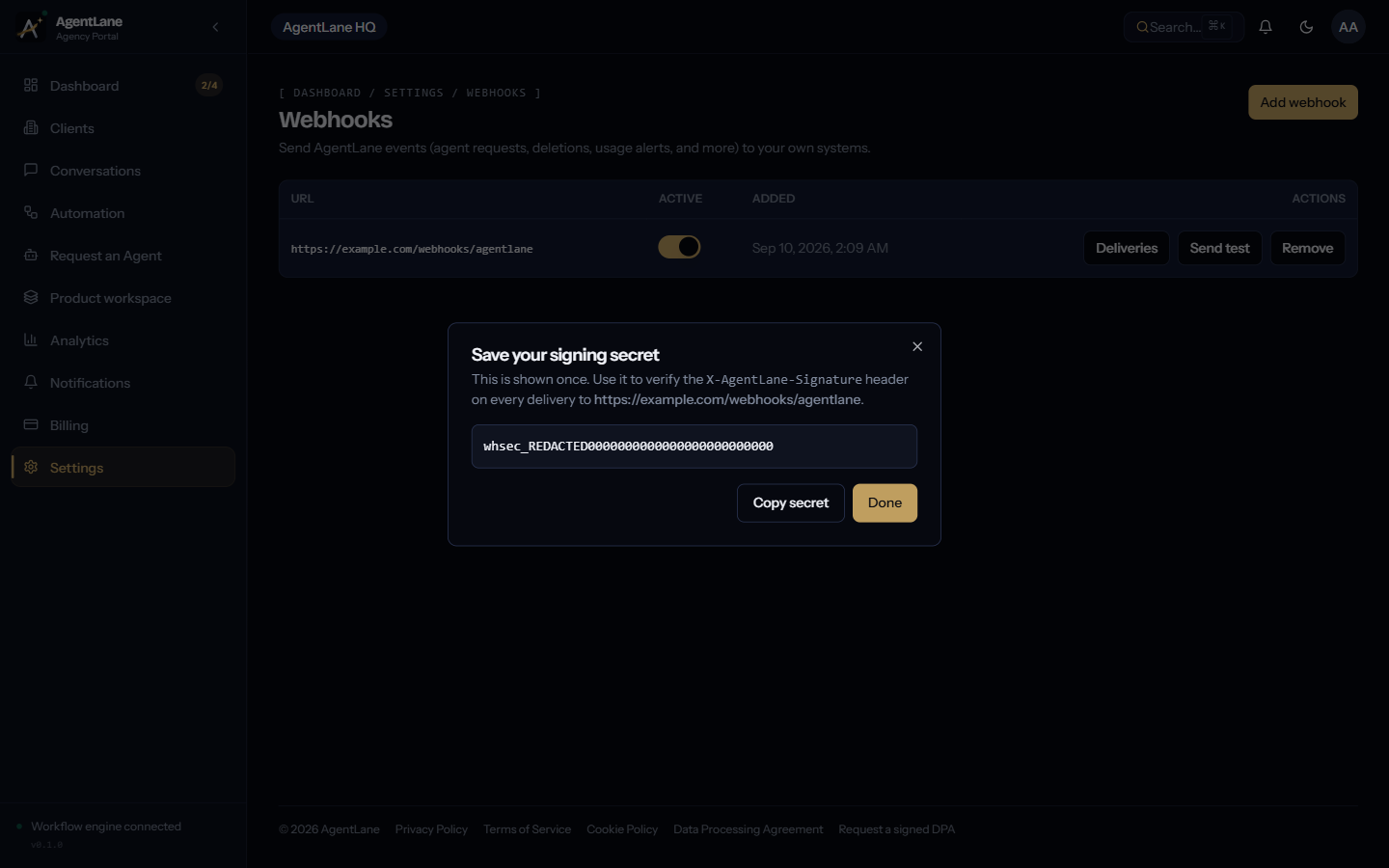
This is the technical reference for the feature configured at Settings → Webhooks (/dashboard/settings/webhooks) — see the Partner Dashboard reference for the UI walkthrough.
| Method | Path | Purpose |
|---|---|---|
POST | /partners/me/webhooks | Register an endpoint. Response includes the signing secret — shown once, never retrievable again. |
GET | /partners/me/webhooks | List your endpoints (no secrets). |
PATCH | /partners/me/webhooks/:id | Update { url?, isActive? }. |
DELETE | /partners/me/webhooks/:id | Remove an endpoint. |
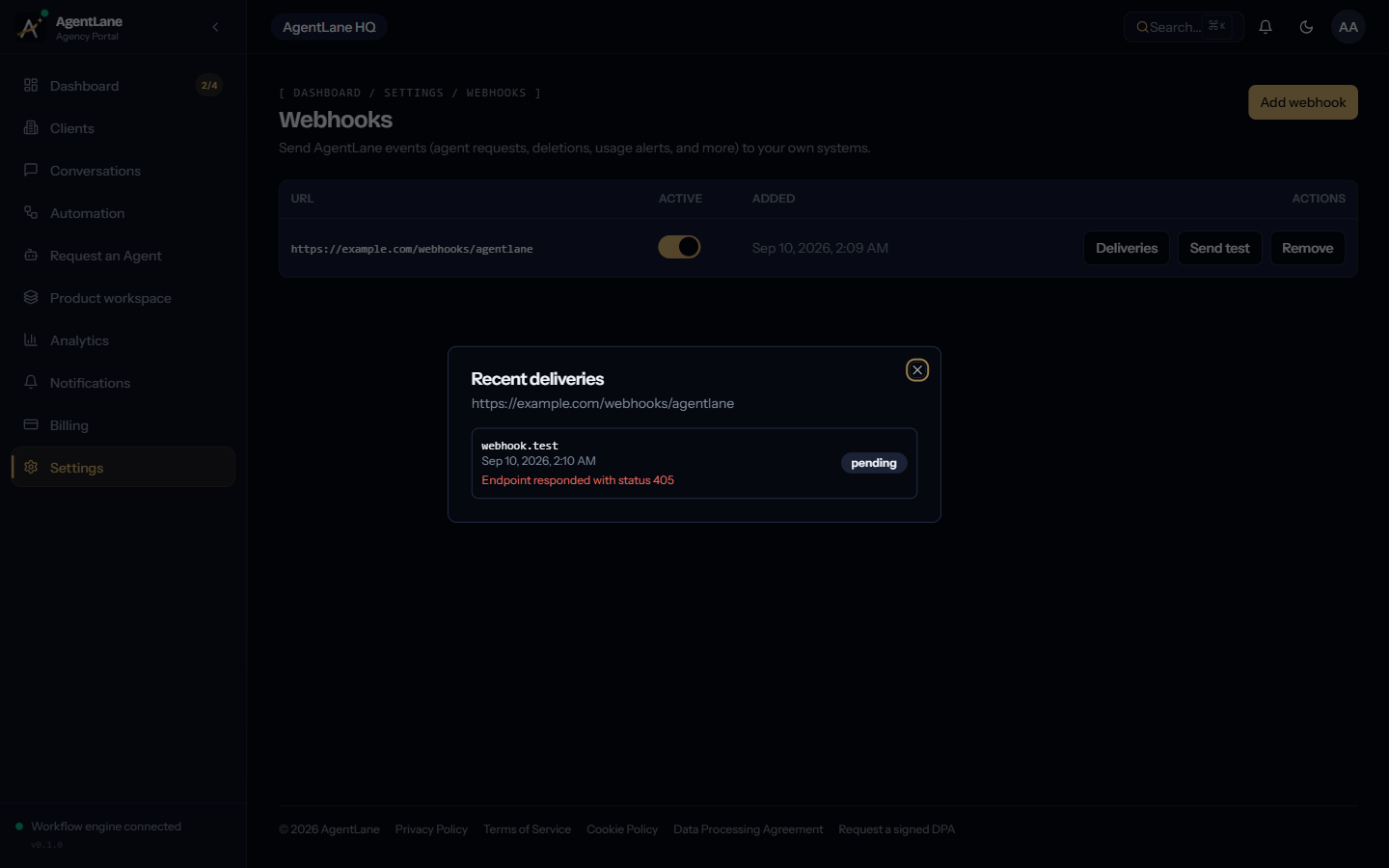
GET | /partners/me/webhooks/:id/deliveries | Most recent 50 delivery attempts. |
POST | /partners/me/webhooks/:id/test | Send a synthetic webhook.test event to confirm the endpoint is reachable and verifying correctly. |
A partner may register at most 5 endpoints. The URL is validated against private/internal IP ranges (SSRF protection) both at registration and again at delivery time, so an endpoint that later resolves to a private address stops receiving deliveries.
Verifying a delivery
Every delivery is a signed JSON POST, modeled on Stripe’s webhook convention:
body      = JSON.stringify({ id, type, createdAt, data })
timestamp = <current Unix time in seconds>
signature = hex(HMAC_SHA256(secret, `${timestamp}.${body}`))
POST <your endpoint URL>
Content-Type: application/json
X-AgentLane-Event: <event type, e.g. "agent_request.resolved">
X-AgentLane-Signature: t=<timestamp>,v1=<signature>To verify: recompute the HMAC over ${t}.${raw request body} using your endpoint’s secret, and compare it to v1 — reject the request if they don’t match, or if t is further in the past than you’re willing to tolerate (a replay-window check is your responsibility, same as with Stripe). See Troubleshooting → Webhook deliveries if a delivery keeps failing.
Event types
| Event | Fired when |
|---|---|
agent_request.submitted | A partner requests a new agent for a client |
agent_request.resolved | An agent request is approved/rejected/fulfilled |
agent_request.provisioning_failed | Automated provisioning for a request fails |
deletion_request.submitted | A partner or client submits an account deletion request |
deletion_request.resolved | A deletion request is approved or rejected |
account.suspended | An account is suspended (e.g. after an approved deletion request) |
client_user.invited | A client-portal user is invited |
usage.threshold_crossed | A partner crosses a usage-alert threshold |
billing.seat_purchase_completed | A partner buys additional team seats |
webhook.test | Synthetic event sent by the Send test action — not a real account event |
Retries
Deliveries run on a BullMQ queue: 5 attempts, exponential backoff starting at 5 seconds, with a 10-second request timeout per attempt. A delivery’s logged status is delivered (2xx response), pending (still retrying), or failed (attempts exhausted, or the endpoint was rejected outright, e.g. by the SSRF check). See Troubleshooting → Webhook deliveries for what to check when deliveries keep failing.
BYOK Credentials Vault
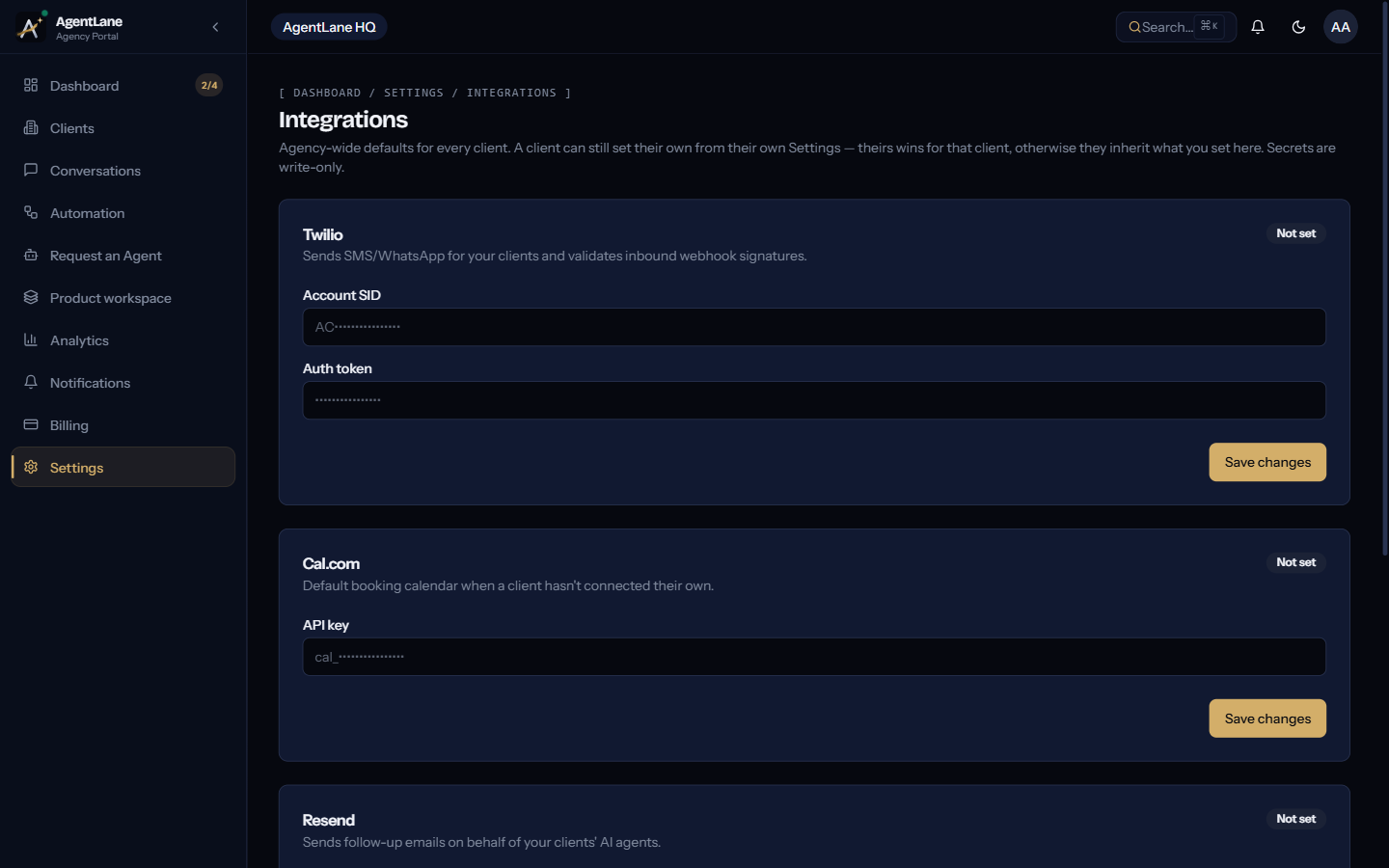
This is the technical reference for the third-party credential storage configured at Settings → Integrations (agency-wide defaults — see Connect your integrations) and Settings → Credentials (per-client overrides, see Client Portal reference).
| Method | Path | Purpose |
|---|---|---|
PUT | /credentials/:provider | Upsert a credential. Body: { clientId?: uuid, sourceMode: "platform" | "byok", data?: {...} }. |
GET | /credentials | List credential summaries for the caller (?clientId= or, for ADMIN, ?partnerId= to scope). Never returns decrypted secrets. |
provider is one of anthropic, openai, cal_com, resend, twilio, postgres, customjs, stripe, deepgram, elevenlabs. Only openai, deepgram and elevenlabs are eligible for sourceMode: "platform" (AgentLane’s own managed key) — every other provider must be "byok". AI inference itself always runs on AgentLane’s own managed Google Gemini models on Vertex AI, regardless of any anthropic credential stored here — an anthropic row can still be saved, but nothing reads it for inference.
| Provider | data shape |
|---|---|
anthropic, openai, cal_com, resend, stripe, deepgram, elevenlabs | { apiKey } |
twilio | { accountSid, authToken } |
postgres | { host, port, database, user, password, ssl } |
customjs is schema-listed but isn’t a real stored credential — it’s a step capability flag, excluded from the connection-requirement checks the other providers go through.
A GET /credentials row looks like:
{ id, provider, clientId: uuid | null, sourceMode, configured: boolean, updatedAt, inherited?: boolean }clientId: null means an agency-wide default; inherited: true marks a client-level row that’s actually just showing the agency’s default rather than a client-specific override. Secrets are encrypted at rest (AES-256-GCM) and are write-only through this API — a saved value never round-trips back to a client. See Troubleshooting → Credentials & permissions if a credential resolves to the wrong value.
Sending a business event to an agent
A provisioned agent runs when a real business event reaches it — a missed call, a web-form submission, a new CRM record. There are two ways in.
Public ingest URL (for third-party senders)
Every provisioned workflow has its own inbound URL. This is what you give a telephony provider, a website form or a CRM: it needs no AgentLane login.
GET /workflows/{workflowId}/ingest-url        # partner-scoped, returns the URL below
POST /webhooks/agents/{workflowId}?token=...  # the URL itself
GET /workflows/{workflowId}/ingest-url returns:
{ workflowId, url, method: "POST" }POST your event as a JSON body. The keys are whatever that agent’s template
reads — for Missed-Call Text Back, callerNumber and businessNumber. The
response is 202 Accepted with { accepted: true, executionId }; the run
itself is asynchronous and appears in Automation → Runs.
The ingest URL is a secret. Anyone holding it can start runs for that one
agent and consume your execution quota. It grants access to nothing else — no
other agent, no client data, no other partner. The token is derived from the
platform secret rather than stored, so rotating AUTOMATION_CALLBACK_SECRET
invalidates every agent’s URL at once. Requests are rate-limited to 60 per
minute per route.
The run still passes the ordinary checks: an inactive workflow is refused, and an over-quota partner is refused.
Authenticated trigger (for your own backend)
If the caller already holds an AgentLane JWT, use the role-gated route instead — it needs no URL secret:
POST /workflows/{workflowId}/trigger
{ "input": { ... } }
Available to ADMIN, PARTNER and CLIENT callers, scoped to workflows they
own.