Authentication & Security
AgentLane provides robust, role-based authentication built around a small number of entry points, each backed by a scoped, single-use token where a link is involved.
Login & Signup Flows
| Route | Purpose |
|---|---|
/signup | Partner signup. For a plan open for signup: account plus card checkout, activated when the payment clears. Otherwise a partner application: captures agency details as a plan request, and AgentLane staff confirm the plan and create the Partner workspace. |
/login | Standard email/password login. Supports ?sso=slug to jump straight into an agency’s configured identity provider. |
/invite/[token] | Single-use invitation link. Used for both new team members joining a Partner and new client users joining a Client’s scoped login. |
/forgot-password | Requests a password-reset email containing a secure token. |
/reset-password | Consumes that token to set a new password. |
signup ──► agency provisioned ──► login ─┬─► /dashboard   (PARTNER)
                                          ├─► /client      (CLIENT, via invite)
                                          └─► /admin       (ADMIN, seeded only)

invite/[token] ──► accept ──► password set ──► login
Invitations are always time-boxed (7 days) and can be resent or revoked at any point before they’re accepted, from Settings → Team → Invitations on the Partner side. A revoked or expired link simply fails to redeem — no account is created.
See Signup & first login for the full stepper walkthrough.
Team permissions within a Partner
The PARTNER role controls platform-level access to /dashboard/*, but a second, agency-scoped permission — partnerRole — controls what a specific team member can actually do once inside:
| Permission | Can view | Can edit / spend |
|---|---|---|
admin | Everything in the agency’s dashboard | Yes — save client config, manage credentials, buy seats/credits, edit chatbot settings, manage webhooks, invite/remove team members |
moderator | Everything in the agency’s dashboard | No — every mutating action (buy, save, invite, delete, toggle) is hidden or disabled |
This is enforced independently on almost every dashboard page (agents, billing, integrations, team, webhooks, SSO, chatbot settings) — a moderator gets full read visibility into the agency’s operations without any ability to spend money or change configuration. New team members are invited as moderator by default and can be promoted to admin from the Team page (a member can’t change their own permission). See Manage your team.
Multi-Factor Authentication (MFA)
Individual user MFA is available today from Settings → Security (/dashboard/settings): click Enable, scan the QR code (or enter the secret manually) in an authenticator app, then confirm with the current 6-digit code to turn it on. Disabling MFA also requires a current code.
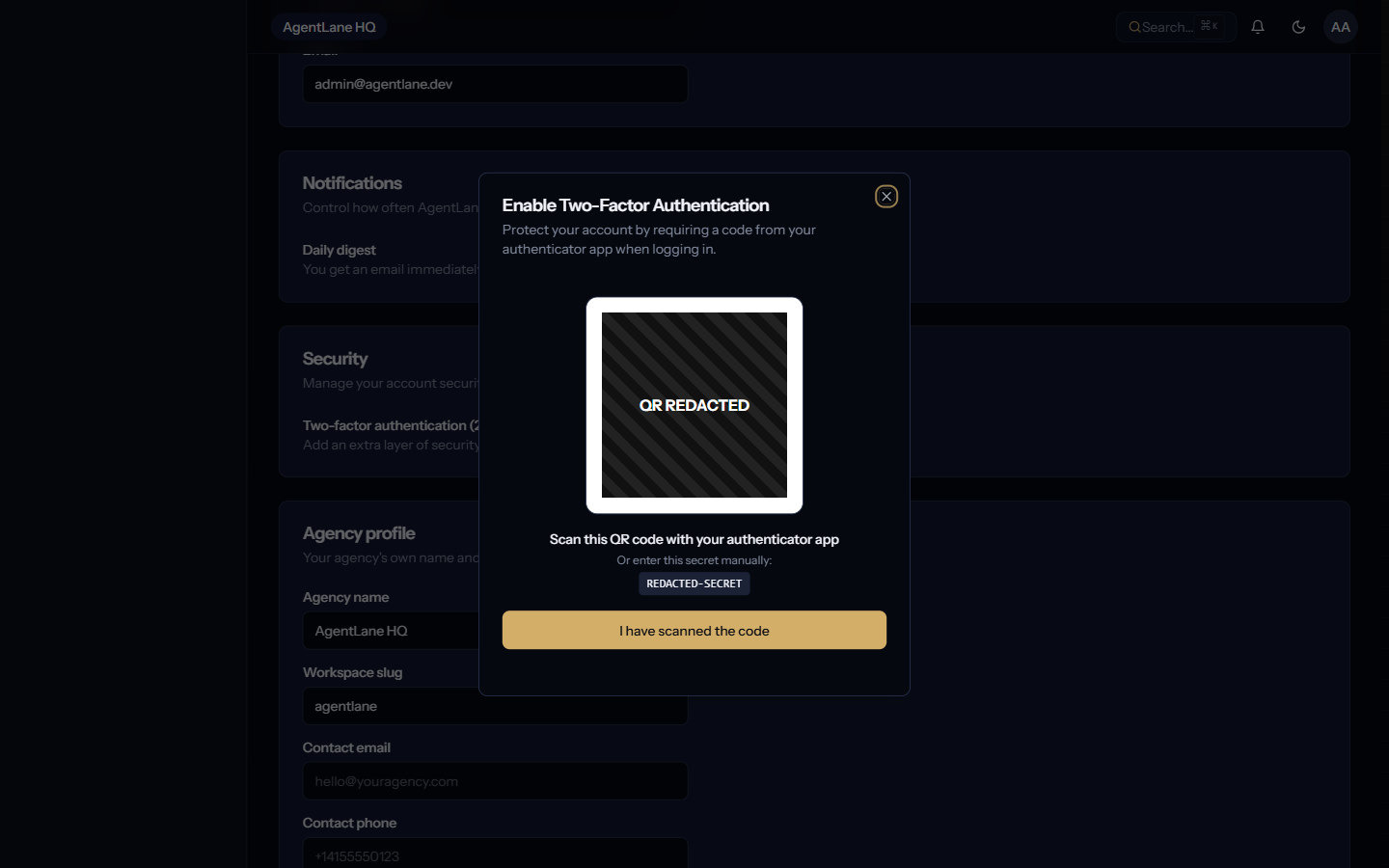
Once enabled, POST /auth/login no longer returns a full session on the first call — it returns { mfaRequired: true, tempToken }, where tempToken is a 5-minute-lived JWT. The client then calls POST /auth/mfa/verify with { tempToken, token: "<6-digit code>" } to exchange it for the real { accessToken, user } session (capped at 5 incorrect attempts per tempToken, after which you must log in again). Agency-wide MFA enforcement (requiring every team member to have it enabled) is not yet available — only the per-user toggle above.
Note: for how accessToken is used against the REST API itself — payload shape, expiry, rate limits — see API Access → REST API & Bearer Token Authentication.
Single Sign-On (SSO)
The AgentLane Portal supports SAML 2.0 and OpenID Connect (OIDC) for enterprise SSO, letting a Partner’s team authenticate using their existing Identity Provider (IdP) — Okta, Azure AD, Google Workspace, or a self-hosted Keycloak instance.
A Partner configures their connection from Settings → SSO, which exposes two independent controls:
- Connection — the IdP metadata (issuer, client ID/secret or SAML metadata URL) that makes SSO available as a login option.
- Enforcement — once a connection is verified, the agency can require SSO, blocking password-based login for that agency’s team entirely.
Once configured, a team member can either click through from /login or land directly on the IdP by requesting /login?sso=your-agency-slug. SSO availability itself is plan-gated — it’s not offered on every tier.