BYOK vs. Managed AI: Which Plan Model Fits Your Agency
AI inference on AgentLane runs on its own managed Google Gemini models on every plan — there is no AI key to bring. Here's where bring-your-own-key still applies, and what that means for your billing.
By AgentLane Founder · Founder
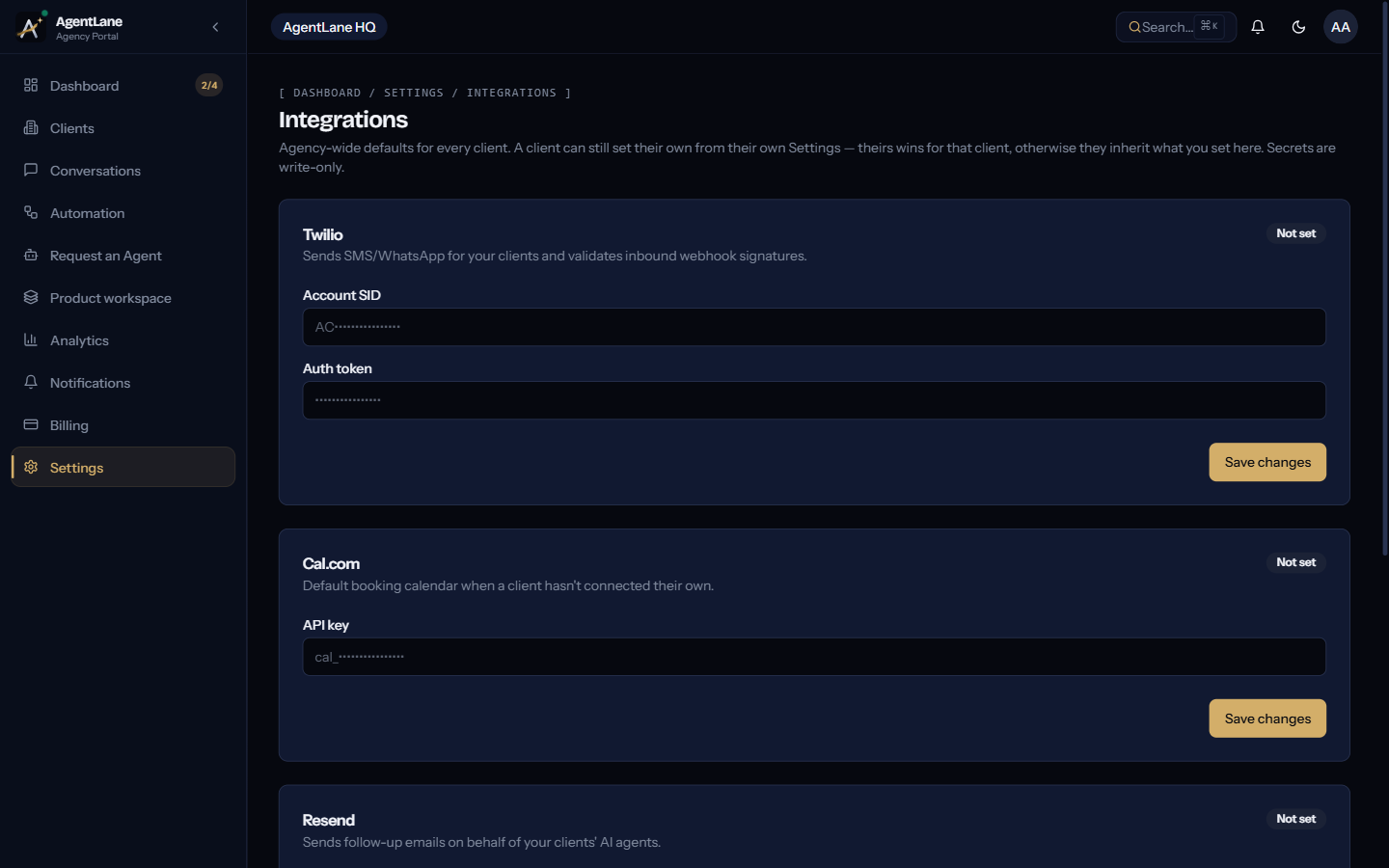
All AI inference on AgentLane runs on AgentLane's own managed Google Gemini models — there is no AI key to configure, and no AI key to bring, on any plan. "Bring your own key" still matters, but for the integrations around the AI rather than the AI itself: Cal.com, Resend, Twilio and Postgres have no managed option at all, so it's your credential or it's not configured.
Agencies evaluating "managed vs. bring your own key" often frame it as a cost question. For AI specifically, that choice no longer exists: managed is the only mode, for everyone.
The two source modes, exactly as they're defined
AgentLane's credential schema defines sourceMode as an enum with two values: platform and byok. A platform-mode credential means AgentLane's own managed key is used on the agency's behalf — no key to type in, no account to maintain. A byok-mode credential means the agency (or an individual client) supplies their own API key, which AgentLane stores encrypted and uses only for that agency's or client's own workflow runs.
For AI inference — the models that power every catalog agent, chatbot and voice call — there is no byok path any more. That inference always runs on AgentLane's own Google Vertex AI account, at the Gemini Flash-Lite default, regardless of any credential stored for anthropic or openai. A stored key is left alone (nothing deletes it), but nothing sends it anywhere.
For voice, deepgram and elevenlabs can run in platform mode on AgentLane's account, with a client-level BYOK override. Cal.com, Resend, Twilio and Postgres remain byok-only, full stop — there is no code path where AgentLane's platform supplies a Cal.com or Twilio credential on a client's behalf. If neither the client nor the agency has configured one of those, that part of the agent's workflow simply doesn't run; see Connect your integrations for the full waterfall.
What Managed AI covers
AI inference is managed for everyone, on every plan, automatically — no account to create, no key to rotate, and no separate line item to track for AI token usage outside your plan's bundled allowance (or extra AI credit we add on request, if your plan doesn't bundle them).
That removes a real category of operational overhead: you're not the one watching an inference provider's dashboard for rate limits, and not the one whose card gets charged if a client's usage spikes unexpectedly. The tradeoff is the mirror image: you don't choose the model version or own the rate limits either.
If your plan doesn't bundle AI tokens, /dashboard/billing lists AI credit packs, but they are not on sale yet: ask us and we add AI credit to your account by hand. Purchased credit never expires. See Billing & credits for the full mechanics of that page.
The decision, as a straight comparison
| AI inference (Gemini) | Cal.com, Resend, Twilio, Postgres | |
|---|---|---|
| Who supplies the key | AgentLane, always | You, always |
| What you configure | Nothing | Your own credential, at agency or client level |
| Where usage shows | Debited from your AI credit allowance on /dashboard/billing |
Billed by that provider on your own account |
Which one fits your agency
Managed AI is the only mode for the models that power your catalog agents, chatbot and voice calls — there's genuinely nothing to configure for it.
Bring your own key is where your integration work actually goes: connect the Cal.com, Resend and Twilio accounts each client's agents need, agency-wide as a default or per client.
Current plan tiers and included AI credit allowances are on the pricing page — check that against your own usage pattern before deciding.
If you're setting credentials for the first time, Connect your integrations is the full walkthrough of the Settings → Integrations page this post assumes. For the exact request/response shape behind the credential API, see API Access → BYOK Credentials Vault.
The provider list and eligibility rules above are pulled directly from AgentLane's own credential schema and the 2026-09-22 Vertex AI migration — if either changes, this post will need updating before the pricing page does.
Frequently asked questions
- Can I bring my own AI key?
- No. All AI inference — catalog agents, the chatbot and voice calls — runs on AgentLane's own managed Google Gemini models, on every plan, and debits AgentLane AI credits. No stored Anthropic or OpenAI key is read for inference, and the Integrations page no longer offers a field for a new one.
- If I'm on a Managed AI plan, do I ever see an AI credential card?
- Only if an Anthropic or OpenAI key was already stored before the switch to managed AI. That card stays visible so you can see or remove the secret, but nothing uses it.
- Which credentials do I still bring myself?
- Cal.com, Resend, Twilio and Postgres have no managed option at all — it's your own credential, at agency or client level, or that part of the workflow doesn't run. Deepgram and ElevenLabs, used for voice, can run on AgentLane's platform account, with a client-level override if you want one.
- Can I still store an Anthropic key?
- A key that is already stored is left alone — nothing deletes it — but nothing reads it for inference. All AI runs on AgentLane's managed Gemini models.