Escalation Design: When an AI Agent Must Hand Off to a Human
AgentLane's catalog agents commit to a fixed set of outcomes and hand anything that needs judgment to a person, not a confidence score you have to interpret. Here's why that design choice matters, and how to build escalation triggers that don't fail silently.
By AgentLane Founder · Founder
The mistake agencies make with escalation is treating it as an exception path — something bolted on for the cases the AI "can't handle." The better design treats every automated decision as a fixed set of outcomes, one of which is always "hand this to a person," built into the switch from the start rather than added after something goes wrong.
That's not a theoretical preference. It's how AgentLane's own catalog agents are built, and the pattern is worth taking apart because it generalizes to any AI automation you design, on or off this platform.
The design decision that matters more than the AI itself
Look at how AgentLane's catalog agents handle a judgment call and a pattern repeats: none of them hands you a confidence number to interpret. Where an agent has to decide something, it commits to a small, fixed set of named outcomes, and each outcome has a defined next action.
Lead Qualifier doesn't return "78% qualified" — it grades every enquiry hot, warm or cold, and every lead, whatever the grade, ends in an email to the business owner with a plain-language summary and the recommended next step. It books on Cal.com only when the enquiry names a time and includes the person's name and email, and if the owner's email does not go out, a portal alert goes to the client's users or your agency team instead. See the full breakdown in the Lead Qualifier agent walkthrough.
Google Reviews Responder takes the escalation decision out of the agent entirely: it drafts a reply and hands the draft to your agency's webhook, and it posts nothing to Google itself. Whether a reply goes up, and who checks it first, is decided by a person or your own system. It is the clearest example in the catalog of an agent built to recognise it shouldn't act alone.
Quote & Proposal Generator does the same thing for a different kind of uncertainty: the AI drafts the quote, prices come from the client's own price list, and anything not on it is labelled an estimate rather than guessed silently. The quote reaches the customer only after a partner or client user approves it in the portal. The request arrives as a portal notification and by email, and it expires after seven days if nobody decides.
The common thread: escalation isn't a fallback bolted on for edge cases. It's one of the fixed outcomes the switch was designed to produce, exactly as legitimate a result as an automated success.
Why a hard switch beats a confidence score
A confidence score pushes a decision onto whoever's watching the dashboard, at the exact moment they have the least context to make it well — a Slack channel scrolling past, a threshold number ("is 65% high enough?") nobody agreed on in advance. A hard switch forces that decision to be made once, at design time, by whoever configured the agent, with full context and no time pressure.
That's a real tradeoff, not a free win — a three-way switch is less nuanced than a continuous score, and tuning the thresholds behind it (what counts as "high-quality" versus "needs nurturing") is real, ongoing work, not a one-time setup. But the alternative — shipping a raw score and asking a human to interpret it live, repeatedly, under time pressure — moves the hardest part of the design to the worst possible moment to do it.
Where the human channel matters
A well-designed switch is only as good as where its non-automated outcomes land. In AgentLane's catalog they land in email and the portal: the Lead Qualifier emails every lead to the owner, Support Ticket Triage emails every ticket to a support inbox (urgent and high priority to a separate escalation inbox), and a quote waiting for approval arrives as a portal notification that is also emailed. There is no Slack integration. Every run, including the ones that needed no action, is also recorded in the Executions feed. That is what makes it safe to let the switch run unattended: a wrong classification can be caught by someone reviewing the feed the same day, not surfaced three weeks later as a client complaint.
At the client-record level, the same principle shows up in the client's go-live checklist: its owner-contact item is done only once the owner can be reached, through a client-portal login, a notification email or an Owner WhatsApp number. Only the first two receive alerts today; no agent sends WhatsApp messages. A conversation handed to a person arrives as a portal notification, emailed to the client's own users or, when the client has none, to your agency team. Whether an escalation should land with your agency or with the client's owner is itself a design decision worth making explicitly per agent, not defaulting to whichever contact happened to be filled in.
A framework for designing your own escalation triggers
1. Define the fixed outcomes before you write a prompt. Decide the small number of named branches a decision can resolve to — three is a common, workable number across AgentLane's own catalog — before deciding what the AI evaluates. The branches shape the prompt, not the other way around.
2. Make every branch visible, not just the escalation branch. If only the "needs a human" branch posts a notification, a systematically wrong "auto-approved" classification runs unnoticed indefinitely. Notify on every branch, and let the channel or urgency differ rather than the visibility.
3. Match the channel to the time sensitivity. A booking gone to the wrong calendar is not equally urgent as a borderline review needing approval before it posts. Route each branch to a channel someone is actually watching at the relevant speed. On AgentLane those channels are email and portal notifications, and each user chooses immediate emails or a daily digest, so the urgent outcomes belong with people on immediate delivery. Anything more urgent than that needs a person on the phone.
4. Log every branch to a permanent record, including the ones that get declined. Every catalog agent's run is recorded in the Executions feed whichever outcome it took, failed runs included, so the record does not depend on an email someone may have archived. That record is what lets you review, weeks later, whether the switch's thresholds are actually calibrated right.
5. Revisit the thresholds on a schedule, not just when something breaks. A qualification bar tuned correctly for a client in January can misfire by a seasonal shift in March. Treat the branch a case landed in as a metric to review monthly against real outcomes, not a configuration you set once at deployment and never touch again.
What this looks like in the executions feed
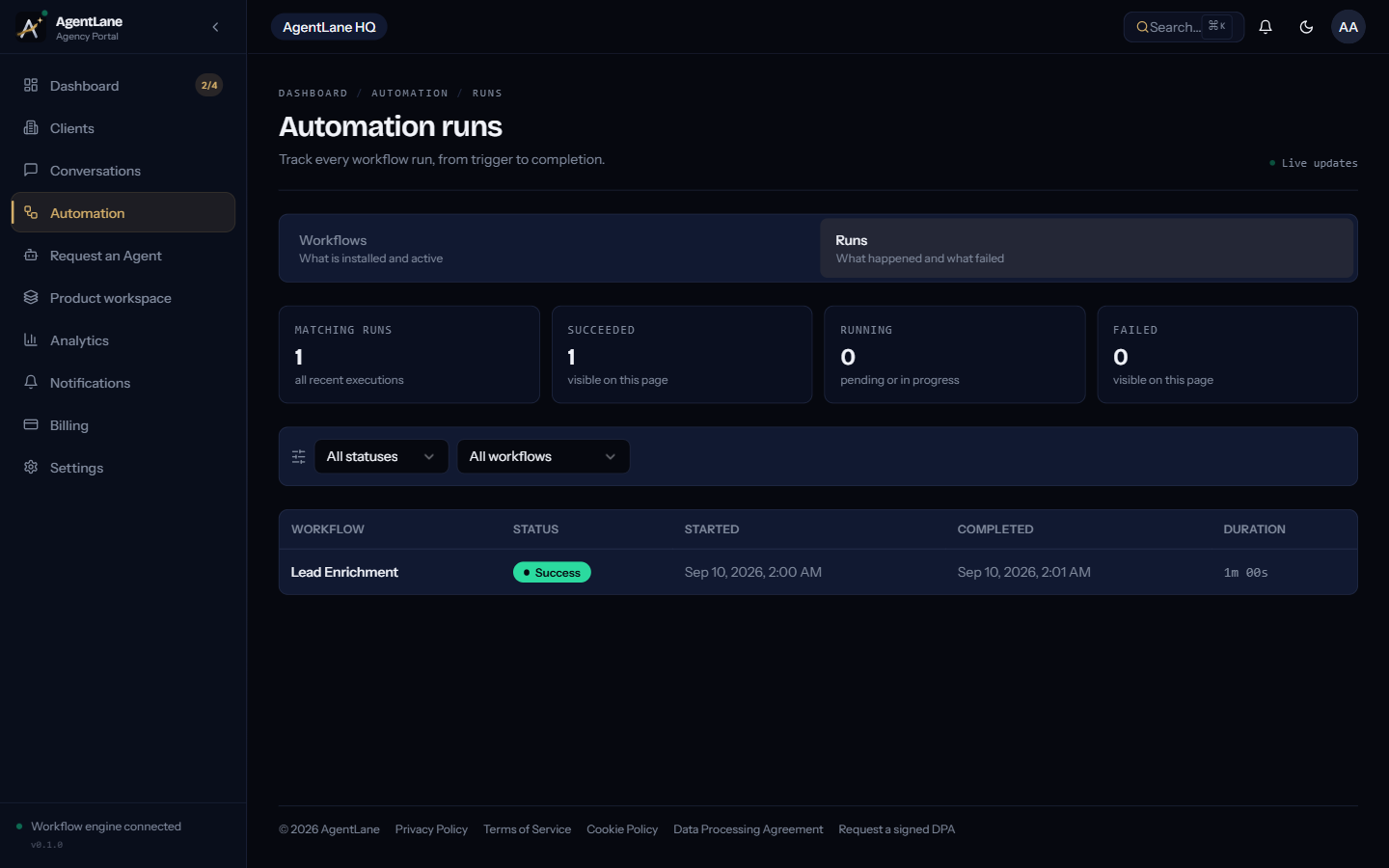
Whatever your escalation design, the fastest way to confirm it's actually working — not just configured — is watching real cases land in the branch you intended. AgentLane's Executions feed (/dashboard/executions) shows every run in real time with a status and its raw output, which is where a systematically miscalibrated switch shows up first, well before a client notices.
See Reading the executions feed for a full walkthrough of what to look for there.
If you're designing this for a client running Lead Qualifier or Google Reviews Responder specifically, both agents' full flows are documented at /docs/agents/lead-qualifier and /docs/agents/google-reviews-responder — worth reading step by step before you decide whether they fit a specific client's risk tolerance.
The agent behaviour described above was checked against the flows AgentLane runs today (updated 28 October 2026), not a generic best-practices list — I wrote it this way because the real implementation is a better teacher than the abstraction.
Frequently asked questions
- Should escalation ever be optional in an automation?
- No — at minimum, every outcome of an automated decision should reach a human somewhere, even the ones that need no action. In AgentLane's catalog, the Lead Qualifier emails the owner every lead whatever its grade, Support Ticket Triage emails every ticket to a support inbox, and an AI-drafted quote waits in the portal until a person approves it. Alerts arrive by email and as portal notifications; there is no Slack integration. Every run is also recorded in the Executions feed, so a wrong classification can be spotted the same day rather than discovered from a client complaint.
- What's the difference between a confidence score and a hard switch?
- A confidence score ("this lead is 72% qualified") pushes the interpretation work onto whoever's watching the dashboard. A hard switch (hot / warm / cold) makes the model commit to one of a fixed set of outcomes, each with its own defined next action — nothing downstream has to guess what a given number means.
- Which of AgentLane's catalog agents already have a human-approval branch built in?
- Quote & Proposal Generator: the AI drafts the quote, prices come from the client's own price list (anything missing is labelled an estimate), and nothing reaches the customer until a partner or client user approves it in the portal. Google Reviews Responder never posts anything itself: it drafts a reply and hands it to your agency's webhook, so a person or your own system decides whether it goes up.
- How fast should an escalation actually reach a person?
- As fast as the channel allows, and the channel matters more than most agencies assume — an alert someone is actively watching reaches them in minutes; an email digest reaches them the next morning. In AgentLane each portal user chooses whether notification emails arrive immediately or in a daily digest, so put the people who handle urgent outcomes on immediate delivery.