Connecting Cal.com So an AI Agent Books Real Slots (Not Suggestions)
Which Cal.com key actually gets used when a client, your agency, and AgentLane's platform key are all in play — the real credential waterfall, worked through as a decision tree.
By AgentLane Founder · Founder
When an AgentLane agent "books an appointment," it means it called Cal.com's live availability endpoint, found a real open slot, and booked it — not that it generated a plausible-sounding time and hoped. Getting that right depends entirely on one thing: which Cal.com credential actually resolves for that client, out of up to three candidates that could be in play at once.
This is a walk through the exact resolution logic, as a decision tree, because "which key wins" is the single most common source of a booking landing on the wrong calendar.
Why this matters more than it sounds like it should
An AI agent that books a real appointment is doing something categorically different from one that just replies conversationally. A booking is a commitment — the business owner's actual calendar now has an entry a real person is going to walk through the door for. If that entry lands on the wrong Cal.com account (an old test calendar, your agency's shared demo account, a different client's calendar entirely), the failure isn't cosmetic. It's a client showing up to an empty desk, or a business owner double-booked without knowing it.
That risk is entirely a function of credential resolution, not AI quality. The model deciding to book is rarely the problem; the calendar it's booking against is.
The decision tree
For any given client and the cal_com provider, resolution runs through exactly these checks, in this order:
Does the CLIENT have their own Cal.com credential set?
(Settings → Credentials, on the client's own account)
        │
       YES ──► Use the client's own Cal.com key.
        │       Bookings land on the client's real calendar.
        │
        NO
        │
        ▼
Does YOUR AGENCY have a Cal.com default set?
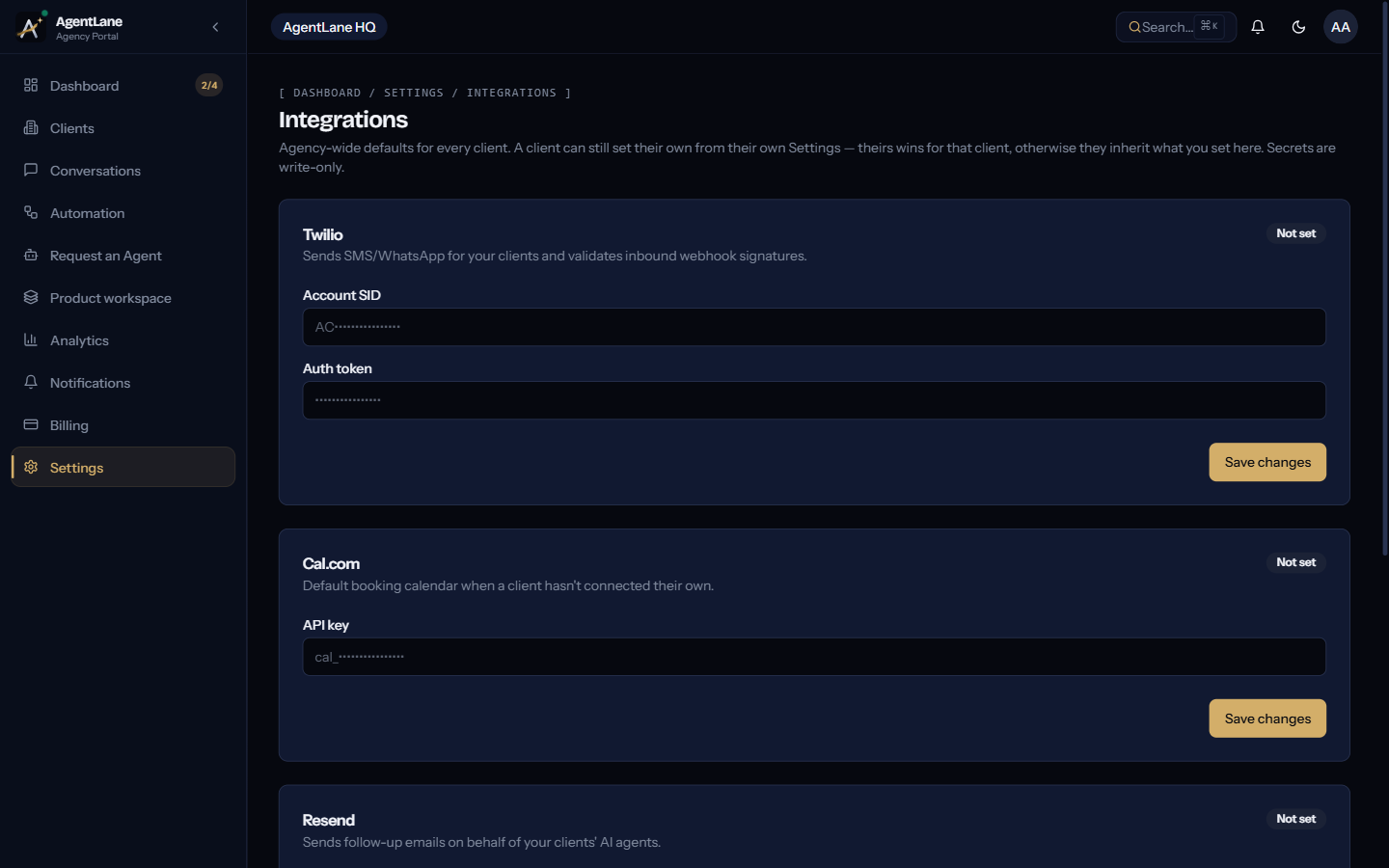
(Settings → Integrations, agency-wide)
        │
       YES ──► Use your agency's Cal.com key.
        │       Bookings land on whatever calendar that key points to —
        │       fine for a pilot, wrong for a client with their own business.
        │
        NO
        │
        ▼
Is there a platform fallback for Cal.com?
        │
        NO — Cal.com has no platform fallback, ever.
        │
        ▼
The booking branch of the agent cannot run.
Provisioning fails (instant agents) or gets flagged in review (staff-approved agents).
That last branch is the one worth sitting with: unlike AI inference, which always runs on AgentLane's own managed Gemini models and needs no key from you, Cal.com has no fallback at all. There is no scenario where AgentLane silently books an appointment through its own account on a client's behalf — it either resolves to a real BYOK credential, at the client or agency level, or that part of the workflow doesn't function. See Connect your integrations → The credential waterfall for the same logic written out for every provider, not just Cal.com.
What each branch looks like in the dashboard
Client-level override configured. The client's own Settings → Credentials shows Cal.com as Configured, not inherited. Every booking for that client goes onto their real, individual calendar — the correct end state for any client running their business off their own Cal.com account.
Agency default, no client override. The client's Settings → Credentials shows Cal.com as Configured but inherited: true — meaning nothing was actually typed in at the client level; it's showing your agency's default because there's nothing else to show. This is completely fine for a shared pilot or demo, and completely wrong the moment a real client with their own calendar goes live on it without you noticing the override was never set.
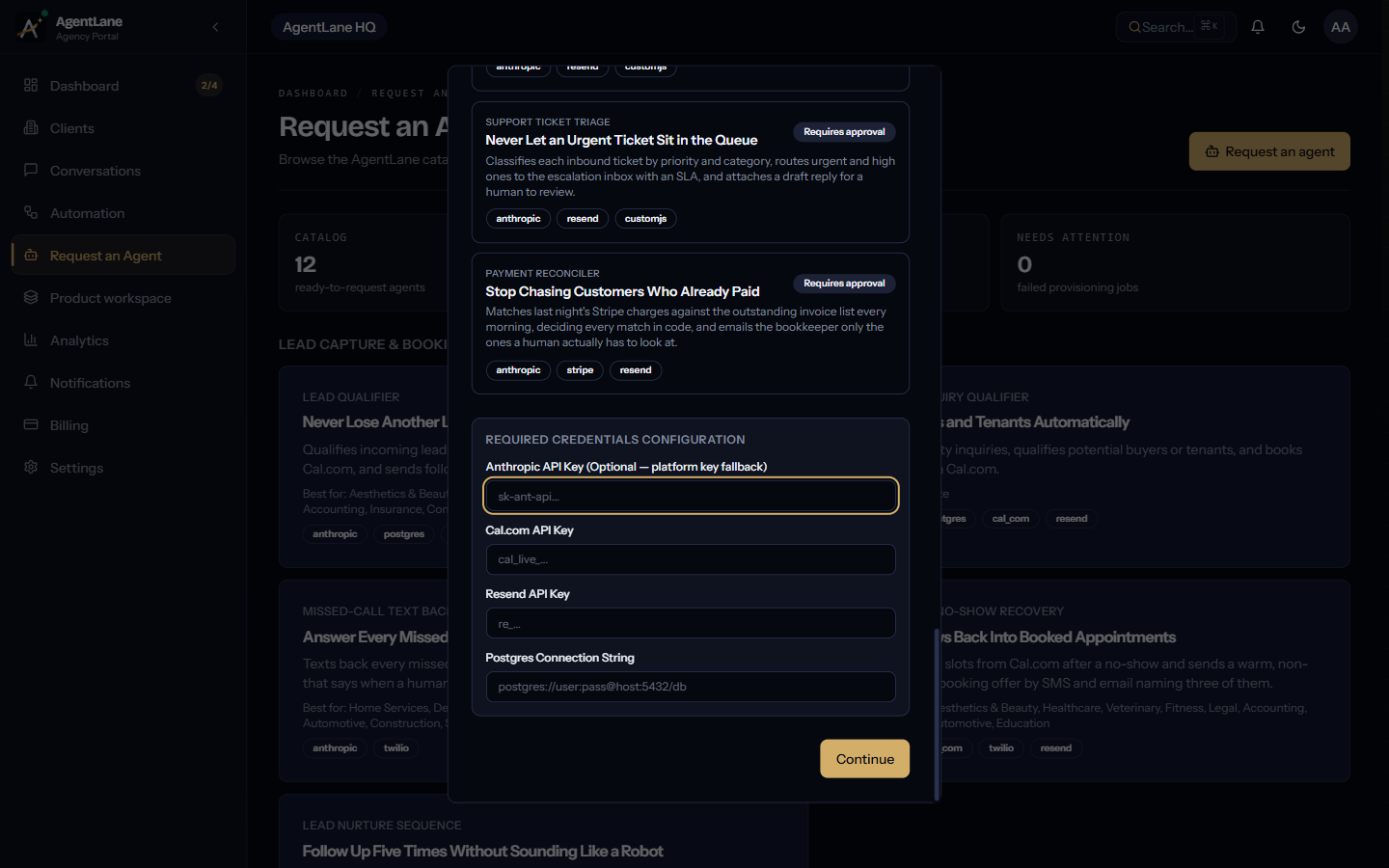
Neither configured. The request-agent dialog shows Cal.com as Missing in the Required Credentials checklist. For an instant-provisioning agent like Lead Qualifier, submitting anyway means provisioning will fail outright until it's resolved. For every other catalog agent, the request can still be submitted, but AgentLane staff will flag the missing credential during manual review rather than fulfilling it silently.
The mistake that shows up after go-live, not at setup
The failure mode that actually costs agencies time isn't a missing credential — the dashboard flags that loudly and up front. It's a stale client-level override: a client who used to have their own Cal.com key set, which then wins over your agency default permanently, even after the client stopped using that calendar or the key went dead. The booking doesn't fail loudly; it just lands somewhere nobody's checking.
If a client reports a booking on the wrong calendar, the first check is not your agency's default — it's whether that client has (or used to have) their own Cal.com override set at the client level. A client-level credential always wins, silently, exactly as designed. That's documented as the first thing to check under "A booking never lands on the right calendar" in Deploy your first agent.
Setting it up correctly the first time
- Set your agency-wide Cal.com default at Settings → Integrations once, so every new client has a working fallback from day one.
- When a client has their own Cal.com account and booking link, set it explicitly at the client level rather than leaving it inherited — even if the agency default would technically work, an explicit override is one less thing to misdiagnose later.
- Before requesting an agent, check the Required Credentials step in the request dialog — Configured vs. Missing tells you exactly what will resolve, before you submit.
- After go-live, send one real test booking and confirm in Cal.com's own dashboard — not just AgentLane's — that the appointment landed where it should.
For the full mechanics of how a Cal.com-dependent agent actually branches — qualify, check availability, book, confirm — the Lead Qualifier agent reference walks the whole flow node by node. If you're setting this up for the first time on a new client, Deploy your first agent is the full sequence this post assumes you already know.
The decision tree above is the actual resolution order implemented in the credentials service, not a simplified approximation of it — if you're debugging a real booking issue, it should match what you find.
Frequently asked questions
- Is there a platform fallback for Cal.com the way there is for the AI model?
- No. Cal.com has no platform fallback at all — it must be BYOK, set either at the client level or as your agency-wide default. If neither is configured, the booking branch of the agent simply can't run.
- Which Cal.com calendar does a booking actually land on?
- Whichever key resolves first in the waterfall: the client's own Cal.com credential if they've set one, otherwise your agency-wide default. This is worth checking explicitly whenever a client reports a booking on the wrong calendar.
- Does every catalog agent use Cal.com?
- No — three of the four do (Lead Qualifier, Property Enquiry Qualifier, and indirectly any agent that books a slot). Google Reviews Responder doesn't touch Cal.com at all, since it only drafts a reply and never books anything.
- What's the difference between a real slot and a suggestion?
- A suggestion is a static message like 'we're usually free Tuesdays' — no live data behind it. A real slot comes from Cal.com's Get Available Slots call at the moment the lead asks, checked against the actual resolved calendar, then booked and confirmed in the same flow. Nothing about it is guessed.