Lead Qualification & Routing: Inside the Agent That Scores, Books, or Declines a Lead Automatically
A walk through AgentLane's real Lead Qualifier agent, branch by branch — what it scores a lead on, which credentials each branch touches, and where it deliberately hands off to a person.
By AgentLane Founder · Founder
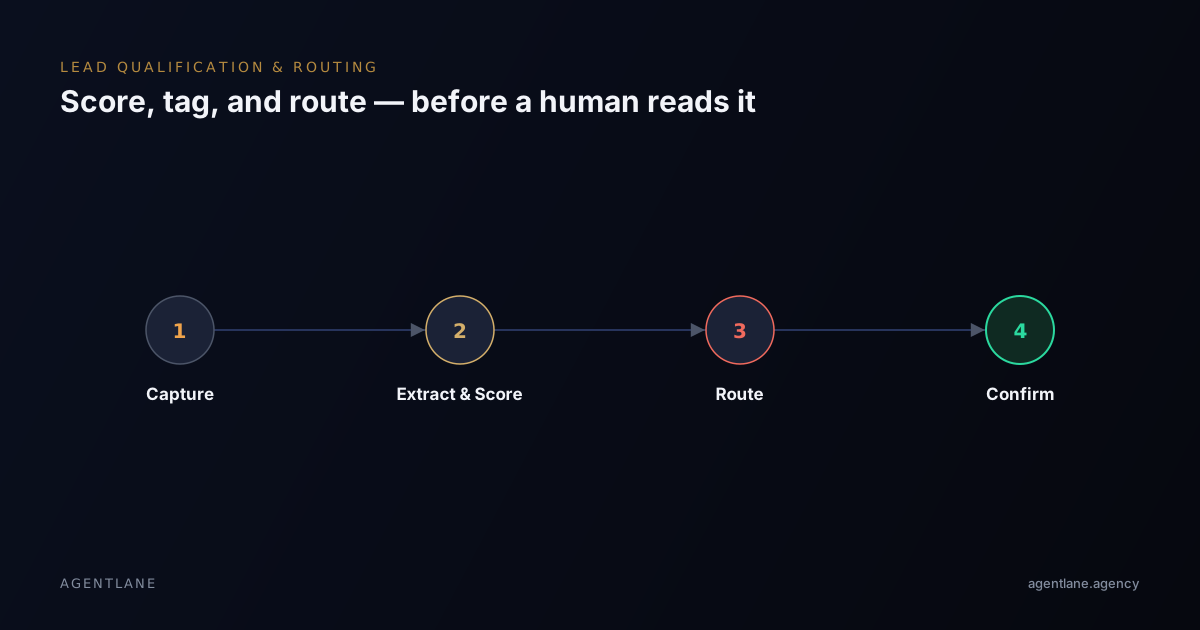
Most agencies talk about "lead qualification" as a concept. This post is the opposite — it's an annotated walk through one specific, shipped agent (AgentLane's agentlane-lead-qualifier), node by node, so you can see exactly what it scores a lead on, which third-party accounts each branch needs, and where the logic deliberately stops and hands off to a person.
The problem this is solving
Agencies running lead generation for local businesses hit the same wall eventually: the campaigns work, the leads arrive, and then a person has to sit and triage them — deciding who's ready to buy, who's a tyre-kicker, and who should talk to which rep. The MIT/InsideSales Lead Response Management study — the same 2007 study by Dr James Oldroyd that's widely (and wrongly) attributed to Harvard elsewhere online — found contacting a lead within five minutes made a business roughly 100 times more likely to connect than waiting thirty. Manual triage is where those minutes go: not because anyone is slow, but because someone has to be free, read the enquiry, and make a judgment call before the clock even starts.
The agent, branch by branch
This is the actual flow, reproduced from the Lead Qualifier's own documentation:
Webhook (lead submitted) ──► Score Lead with Claude ──► Parse Claude Response
                                                                │
                                                                ▼
                                                      Log Lead to Supabase
                                                                │
                                                                ▼
                                                             Switch
                             /                                 │                              \
                  High-quality lead                    Needs nurturing                    Declined
                          │                                    │                              │
              Cal.com: Get Available Slots           Email: Nurture Follow-up      Email: Decline Response
                          │                           Slack: Nurture Lead          Slack: Lead Declined
                  Find Earliest Slot
                          │
                  Book Cal.com Call
                          │
              Email: Booking Confirmation
              Slack: High-Quality Lead
Webhook → Score Lead with Claude. The enquiry arrives however it already does — a web form, an SMS reply, a chat message — and an Anthropic model reads the free text. This is the step doing the actual qualification work; everything downstream is routing based on what it returns.
Parse Claude Response → Log Lead to Supabase. The model's output gets parsed into structured fields and written to Postgres before anything happens with it — so even a lead that ends up declined has a permanent record, not just a Slack message that scrolls away.
Switch: three branches, not a score you have to interpret. This is the part worth dwelling on, because it's the actual design decision this agent makes: instead of returning a numeric score an agency then has to build routing rules around, the model classifies straight into one of three outcomes:
- High-quality lead — real availability gets checked against Cal.com, the earliest slot gets booked automatically, and the lead receives a confirmation email plus a Slack alert to the team.
- Needs nurturing — no booking happens. The lead gets a follow-up email and the team gets a Slack notification, so a borderline lead is never silently dropped, just not fast-tracked.
- Declined — the lead still gets a reply (a decline email) and the team still gets visibility (a Slack alert). Nothing about this branch is silent either.
Every branch posts an internal Slack alert. That's a deliberate redundancy: even the "no action needed" branches are visible to a human in real time, which is what makes it safe to let the switch run unattended.
What it takes to run this
Four credentials, and the agent is unusable without all four:
| Provider | What it's for | Who typically owns it |
|---|---|---|
anthropic |
Scores and classifies the incoming lead | Your agency default, or the client's own key |
postgres |
Logs every lead, regardless of outcome | Usually your agency's own instance |
cal_com |
Checks real availability and books the call | The client's own Cal.com account, almost always |
resend |
Sends the confirmation, nurture, or decline email | Your agency default |
Lead Qualifier is the only one of AgentLane's twelve catalog agents marked instantProvisioning: true — the one the platform is allowed to provision without staff review, on the reasoning that it's the simplest credential set and lowest-risk agent in the catalog. In practice that path is switched off at the deployment level, so every agent, Lead Qualifier included, goes through the same AgentLane staff approval queue today. Treat the flag as a design decision that has not been turned on, not as a speed difference you can sell.
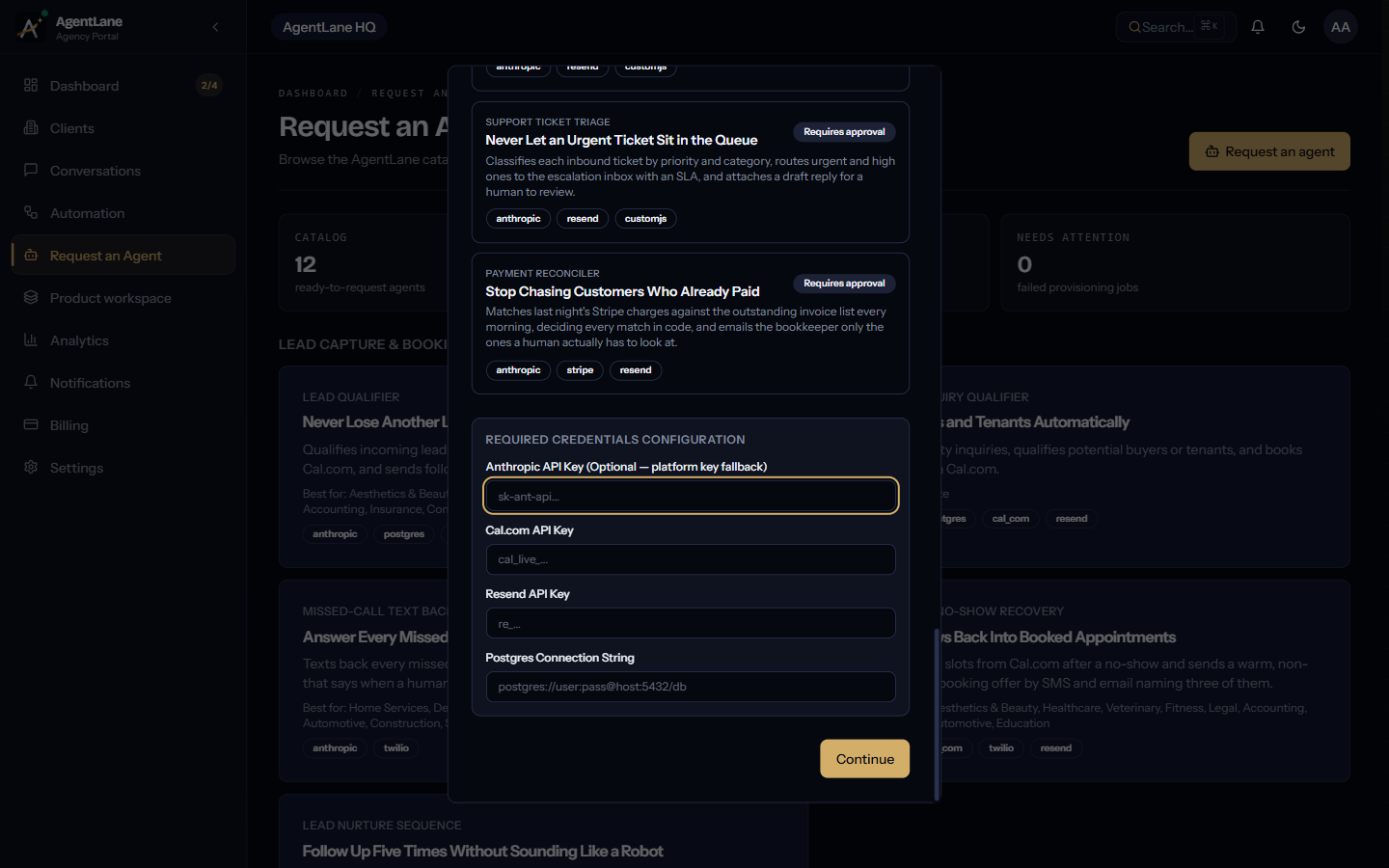
Credentials resolve through a waterfall: a client's own credential (if they've set one) wins over your agency-wide default, which wins over AgentLane's own platform key — but the platform fallback only exists for anthropic, and only when neither of the first two is set. Cal.com, Resend, and Postgres have no platform fallback at all; they must be configured somewhere, or that branch of the flow simply can't run. See Connect your integrations for the full mechanics.
Who this genuinely fits
Lead Qualifier's real, current industry-fit list — not an aspirational category page, the actual tags on the agent record — covers aesthetics, dental, home services, legal, healthcare, veterinary, fitness, accounting, insurance, construction, and solar. The unifying thread isn't the vertical, it's the mechanics: any consultation- or appointment-booking business where a lead needs qualifying before a slot gets offered fits how this agent actually works.
Where it still needs a person
Qualification automation should never be the final word on a genuinely high-value or unusual lead — it routes, it doesn't decide. Anything outside the normal pattern (an enterprise-sized enquiry, a partnership pitch, a complaint mislabelled as a lead) should default to a human reviewing it rather than the automation guessing wrong silently. Because every branch posts to Slack, that fallback is visible in practice, not just in theory — a team watching the channel catches a wrong classification the same day, not weeks later.
Common mistakes agencies make rolling this out
Skipping the credential waterfall check. A request can show a credential as "Configured" even when nobody typed anything into that specific client — it inherited the agency default. That's usually fine, but if a client needs their own Cal.com calendar (a different business than your other clients), forgetting to override it means bookings land on the wrong calendar. Check the waterfall explicitly, don't assume.
Treating the three-way switch as fixed. The branch a lead lands in depends entirely on how the scoring prompt is tuned for that client's business. A "hot" threshold that's right for a home-services client in January can misfire by March once seasonal demand shifts. Review actual close rates against the branch a lead landed in, monthly, not once at setup.
Not watching the execution feed. The fastest way to catch a misconfigured Cal.com key or a bad prompt tune is the real-time executions log, not a client complaint three days later. See Monitor & debug.
Getting started
If you're an agency partner, the fastest way to see this exact flow end to end — including the actual request-dialog screens, the credential checklist, and what a fulfilled request looks like in the dashboard — is Deploy your first agent, which uses Lead Qualifier as its full worked example. If you want the agent reference on its own, it's at /docs/agents/lead-qualifier.
Sources:
I pulled the flow diagram above straight from the agent's own docs rather than redrawing a simplified version, because the branching is the part that actually matters when you're deciding whether to trust it unattended.
Frequently asked questions
- Isn't lead qualification just a form with more questions?
- A long form filters out real prospects along with the bad ones — most people abandon at question four. Conversational qualification asks the same questions inside a chat or SMS thread, one at a time, so it feels like a reply instead of an interrogation.
- How does the automation decide where to route a lead?
- A language model reads the free-text reply and scores it; a switch node then sends the result down one of three branches — book, nurture, or decline. Ambiguous or high-value leads should fall back to a human by default rather than the model guessing.
- Will this replace our sales team?
- No — it replaces the fifteen minutes a rep spends finding out a lead isn't a fit. The team ends up talking to fewer, better-qualified people, not fewer people overall being reached.
- What happens to leads that don't qualify?
- They still get a reply. In AgentLane's Lead Qualifier agent, a declined lead gets a polite decline email and a nurture-tier lead gets a follow-up email instead of a booking — neither one goes silent.