Reading the Executions Feed: Diagnosing a Failed Automation Before Your Client Notices
A real-time feed, a status column, and an expandable output payload — here's what each combination of signals actually means, and where to look next for each one.
By AgentLane Founder · Founder
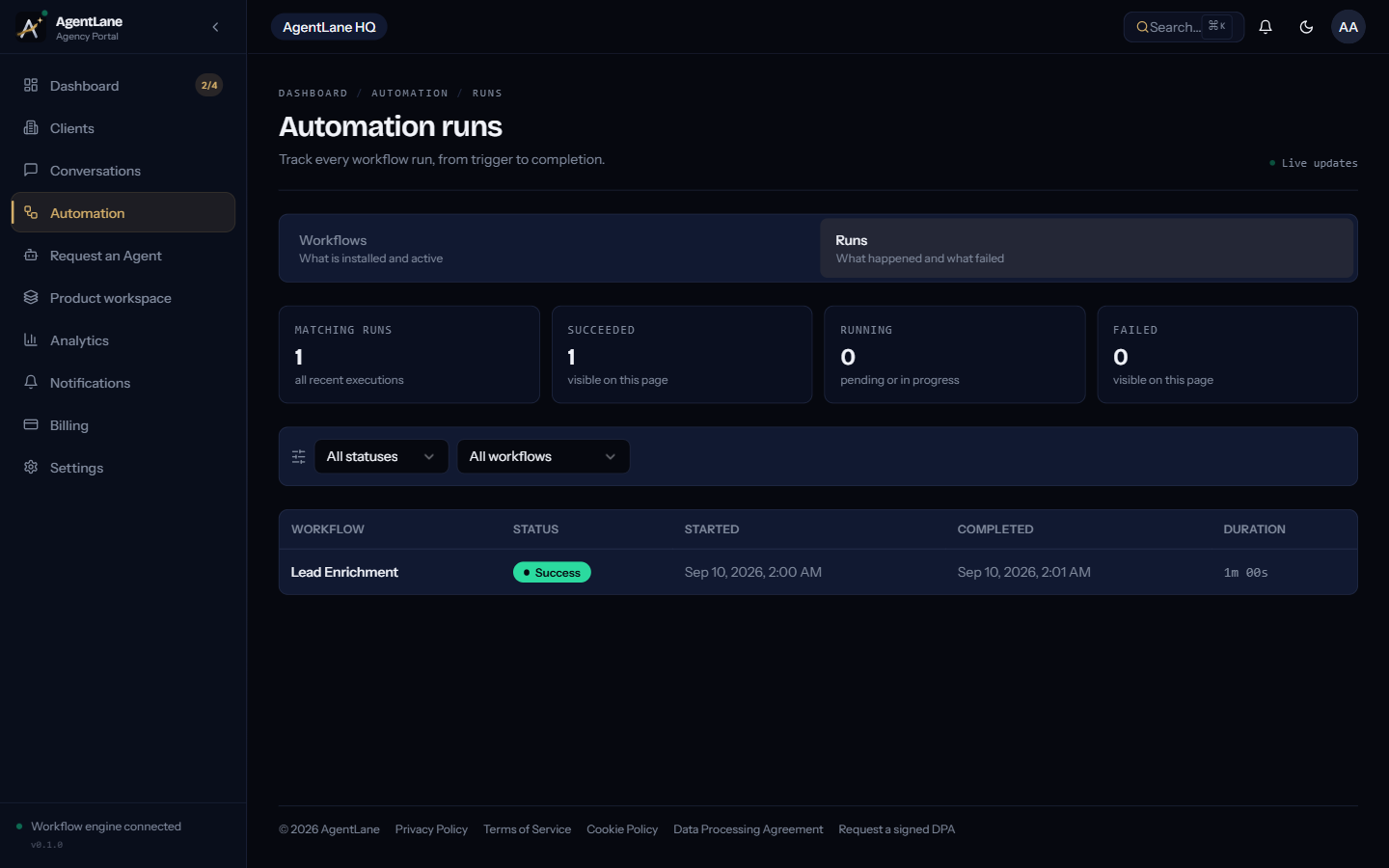
The Executions feed is a real-time, cross-client log of every workflow run, and it's the fastest diagnostic tool AgentLane gives you — but only if you know what each combination of status, connection indicator, and output payload actually means. Most agencies check it after a client complains. The whole value of it is checking before that.
This is a practical, symptom-first guide: what you're looking at, and what it tells you to check next.
What's on the page
/dashboard/executions shows a live-updating list of every workflow run across every client your agency manages, with a live connection indicator at the top of the page — a green pulse means updates are streaming in real time; anything else reads "reconnecting," and that's worth noticing before you start debugging anything else, since a stuck feed will make a perfectly healthy agent look silent.
You can filter by status (Pending, Running, Success, Failed) and by workflow, and every row expands to show the execution ID (copyable, useful when escalating something to AgentLane staff) and the raw output payload — the actual data the run produced or failed on, not a summarized error message.
The symptom-to-diagnosis table
This is the part worth bookmarking. Each row is a real pattern you'll actually see, matched to where the problem almost always lives.
| What you see | What it usually means | Where to check next |
|---|---|---|
| Connection indicator shows "reconnecting" | The feed's live connection is dropped — this is not a workflow problem yet | Refresh the page; if it persists, this is an AgentLane-side issue worth reporting, not a client-specific one |
| Workflow shows Active, but zero executions ever appear | Almost always a trigger problem — nothing is reaching the webhook in the first place | The client's Twilio number field on their detail page vs. what's actually wired up in the Twilio console — see Twilio setup for a missed-call flow |
| A run shows Failed, expandable output mentions a credential error (e.g. "Twilio credential invalid") | A specific provider's stored credential is wrong or expired | Settings → Integrations (agency default) or the client's own Settings → Credentials (override) — check the credential waterfall to see which one is actually resolving |
| A run shows Success, but the booking landed on the wrong calendar | The credential waterfall resolved to a stale client-level Cal.com override, not your agency default | Check whether that client has (or used to have) their own Cal.com credential set — a client-level override always wins, even an old one — see Connecting Cal.com |
The Workflow instance card at the top of /dashboard/workflows shows Unreachable |
The engine isn't answering a health check — nothing for that partner can run, regardless of individual workflow status | Click Re-check health to force an immediate re-check rather than waiting for the next automatic poll; if it stays Unreachable, this is an infrastructure-level issue, not a single workflow's problem |
A request sits on provisioning_failed and never reaches Executions at all |
The agent was never successfully deployed — this is upstream of anything appearing in the feed | The request row itself shows a client-safe error message and a Retry button — see Provisioning failures |
| Runs succeed, but land in the wrong branch consistently (e.g. good leads getting declined) | Not a technical failure at all — the AI's classification threshold is miscalibrated for that client's current business reality | Review the prompt tuning for that agent against real recent outcomes; see Escalation design for how the branching itself should be reviewed on a schedule |
Why "Active" is the most misleading word on the page
The single costliest misread in this whole feed is trusting Active on the Workflows page as proof that everything's working. Active means the workflow instance was successfully provisioned and is technically deployed — it says nothing about whether anything has actually triggered it. A Twilio number pointed at the wrong webhook, an expired credential, a DNS misconfiguration on a self-hosted instance — all of these leave the workflow reading Active while the Executions feed for that client stays completely empty.
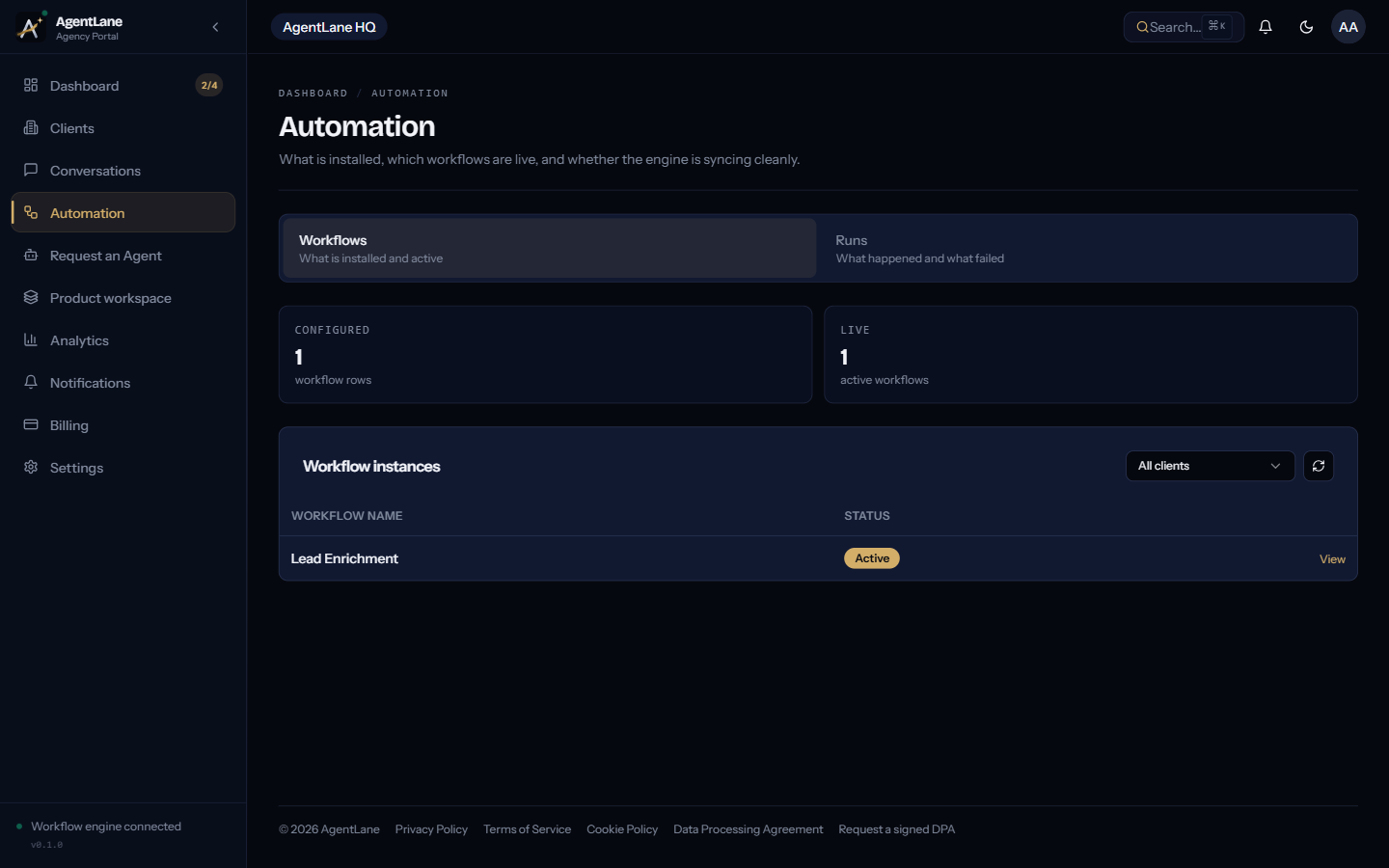
The fix for this is procedural, not technical: never call an onboarding complete on the strength of Active alone. Send one real test call or enquiry, and confirm a real row appears in Executions with the status you expect. That single step, done once at go-live, catches the large majority of "it's live but nothing's happening" cases before a client ever experiences one.
Building the habit, not just the one-time check
The feed's real value compounds when you check it as a routine, not a firefighting tool:
At go-live, always. One test run, confirmed in Executions, before telling a client anything is ready.
Weekly, for active clients. A quick scan for Failed runs or an unusual concentration in one branch (declined leads spiking, say) catches drift before it becomes a pattern a client notices on their own.
Immediately, whenever a client mentions something feels off. "I think we're missing some enquiries" is vague from the client's side and precise in the feed — filter by that client's workflow, check the status distribution, and you'll usually have an answer in under a minute rather than guessing.
Whenever you change a credential. Any time a client's Twilio, Cal.com, or Resend credential is added, changed, or removed, send a fresh test run immediately after — the credential waterfall resolving to something unexpected is invisible until a real run exercises it.
The bigger picture: Analytics, once the feed confirms things are healthy
Once Executions shows a client's agent is reliably running clean, /dashboard/analytics is where the same data turns into business-impact numbers worth showing the client directly — leads recovered from missed calls, appointments booked automatically, staff hours saved, average response time, and a stacked area chart of completed versus failed conversation volume over the last 30 days.
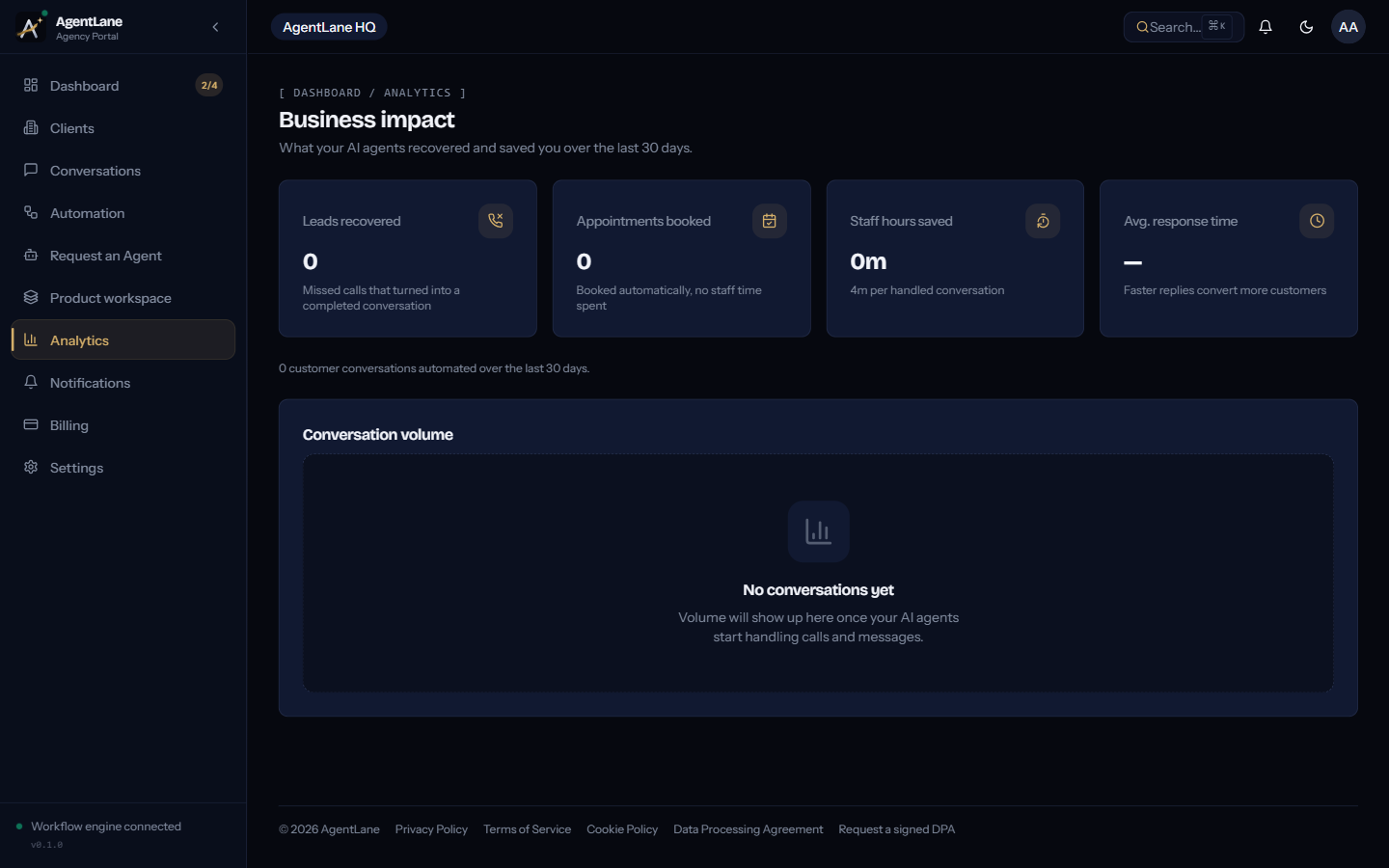
That page is the client-facing payoff. The Executions feed is the operational discipline that makes the Analytics numbers trustworthy in the first place.
For the full monitoring loop this post is built on, see Monitor & debug. If a run's failure traces back to a credential specifically, BYOK vs. Managed AI keys covers how the underlying source-mode resolution works.
Every status, field, and symptom in the table above is a pattern that shows up in the real product, not a hypothetical troubleshooting checklist — if something in your own feed doesn't match a row here, that's worth treating as new information, not user error.
Frequently asked questions
- How do I know if the executions feed itself is working, or just quiet?
- Check the live connection indicator at the top of the page — a green pulse means live updates are streaming; anything else shows 'reconnecting,' which tells you the feed itself has a problem before you waste time debugging a workflow that's actually fine.
- What's the difference between a workflow instance being Unreachable and a run showing Failed?
- Unreachable is about the automation engine itself — the engine isn't responding to a health check, so nothing can run at all. Failed is a specific execution that did run and errored partway through. Check instance health first; a Failed status only means something if the instance itself is reachable.
- Why would a workflow show Active with zero executions ever appearing?
- This is almost always a trigger problem, not an AI or logic problem — most commonly the client's Twilio number isn't actually pointed at AgentLane's webhook, or the number on the client's detail page doesn't match what's really wired up in the Twilio console.
- Should I wait for a client to report a problem, or check the feed proactively?
- Check proactively. The entire value of a real-time executions feed is catching a misconfigured integration or a bad prompt tune before a client experiences it as a missed lead — waiting for a complaint defeats the point of having the feed in the first place.